

POWER GRADE PACK

POWER GRADE PACK
¥14,800 VAT

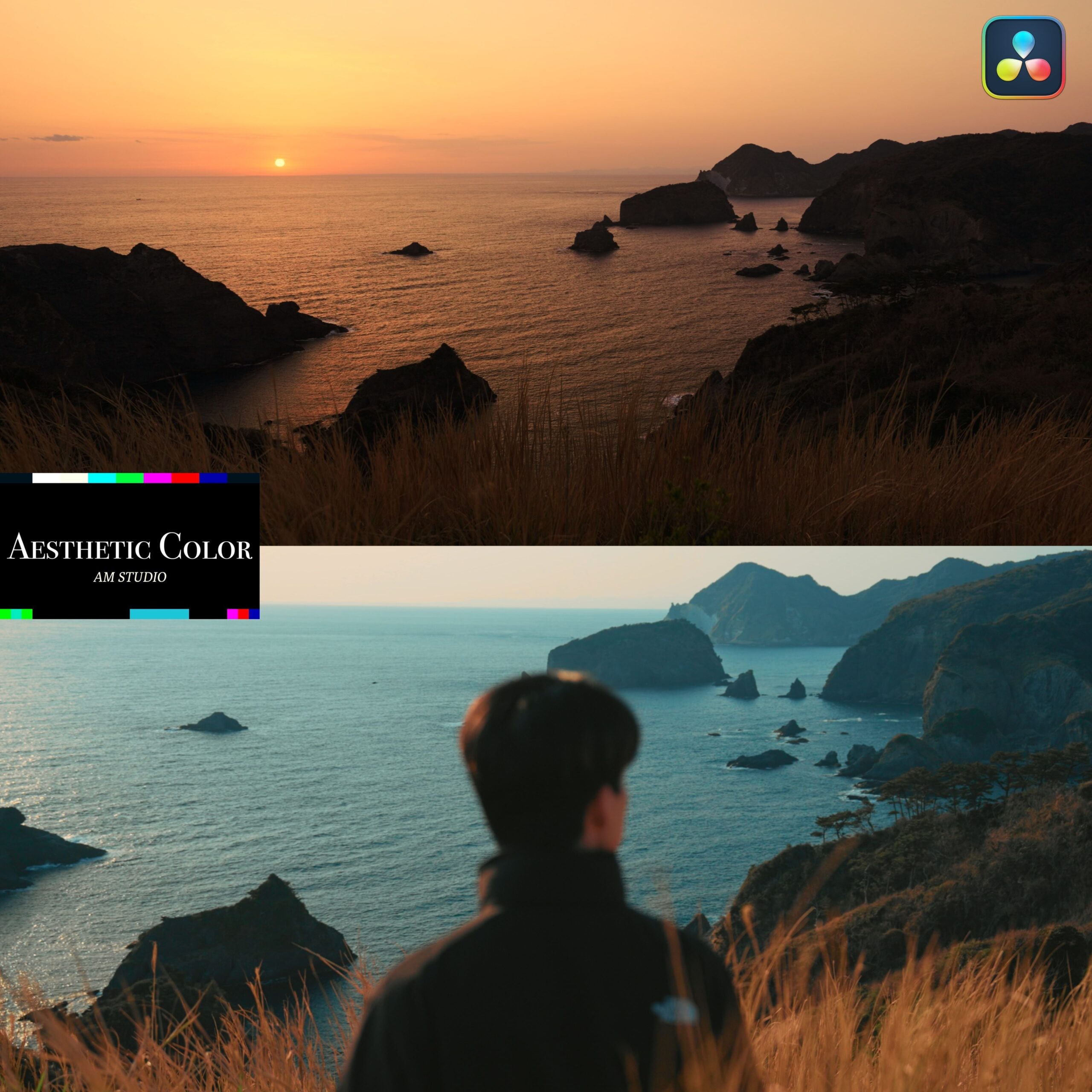
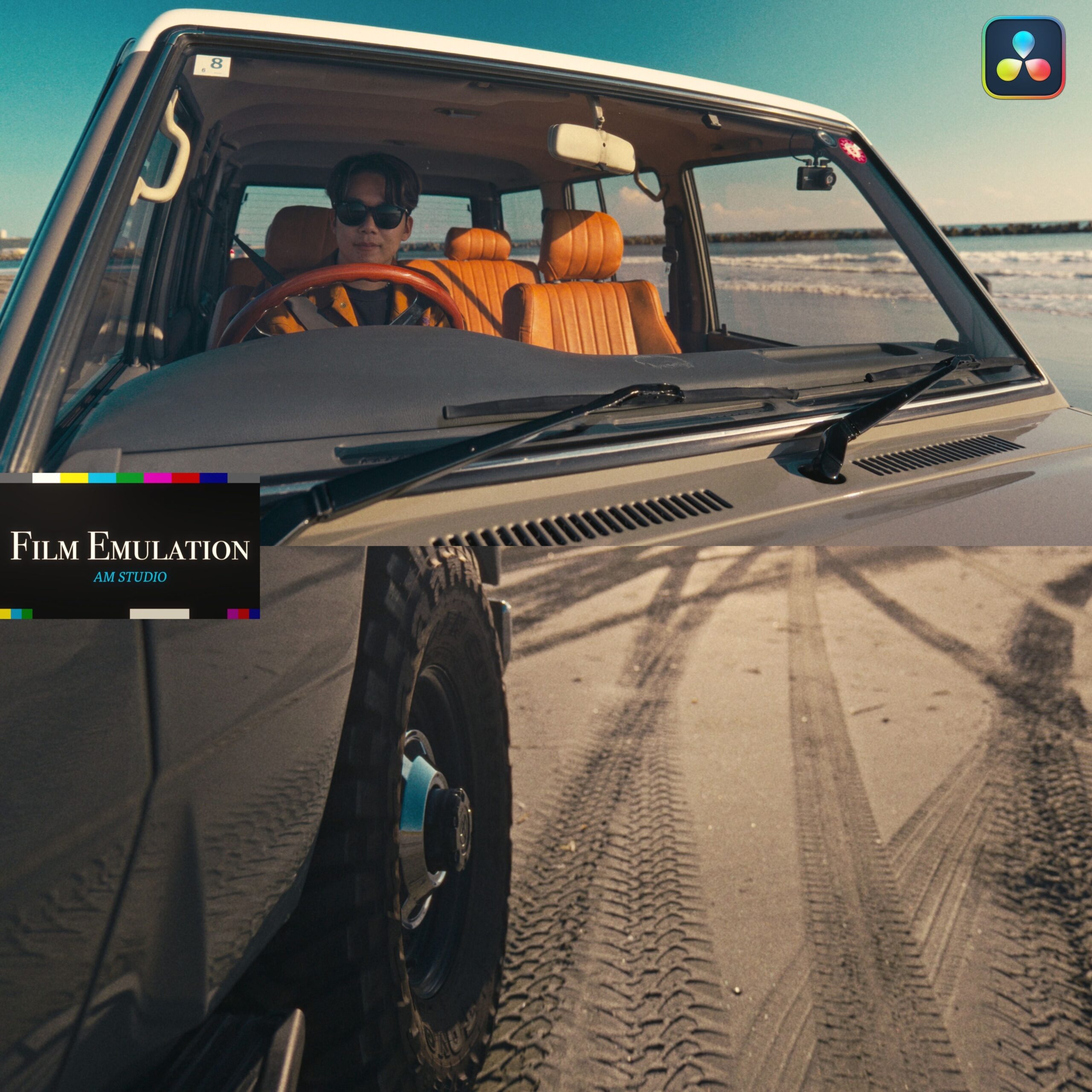
What is AM POWER GRADE?
We offer two PowerGrades, providing you with color grading options for both digital and film-like styles.
Struggling with color grading after shooting in Log? Want to make your editing process faster and easier?
Our PowerGrades are the solution.
Our PowerGrades provide you with two color grading methods: one for beautiful color and the other for film-like color.
Our AM POWER GARDE PACK includes four unique LUTs.
Please use our PowerGrades after installing the original LUT.
Struggling with color grading after shooting in Log? Want to make your editing process faster and easier?
Our PowerGrades are the solution.
Our PowerGrades provide you with two color grading methods: one for beautiful color and the other for film-like color.
Our AM POWER GARDE PACK includes four unique LUTs.
Please use our PowerGrades after installing the original LUT.
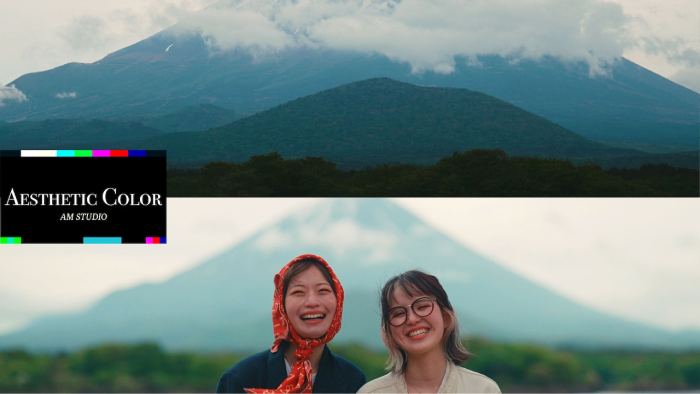
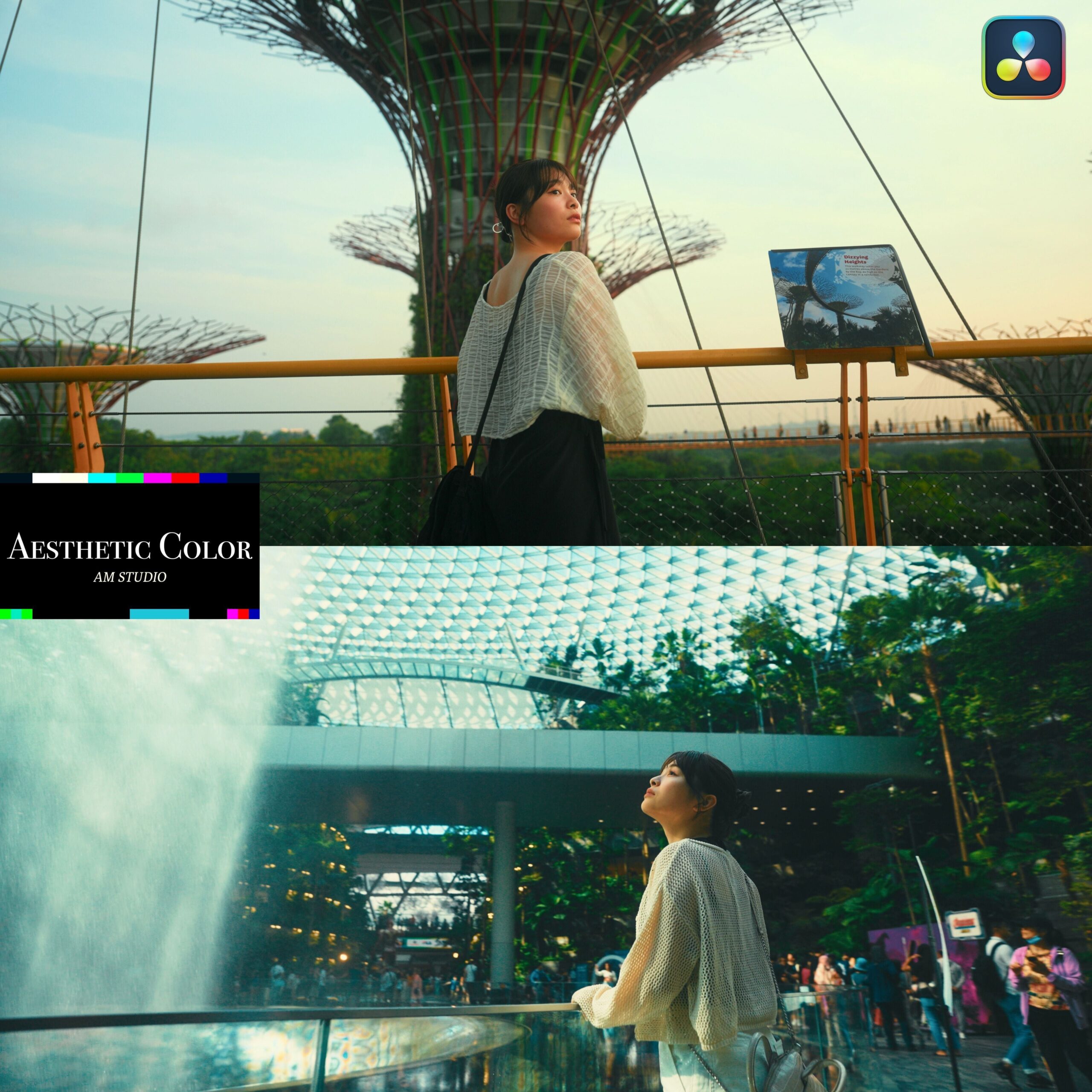
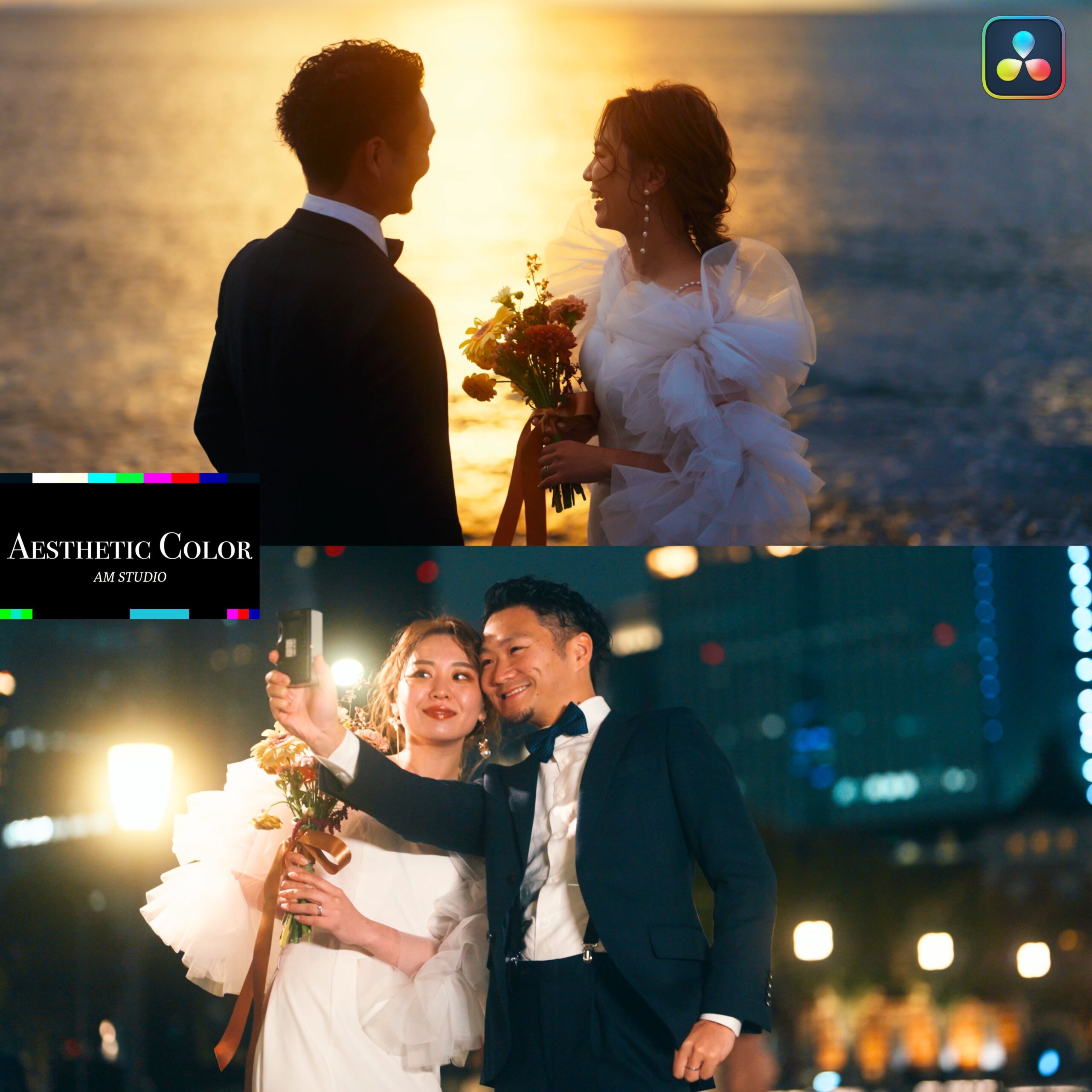
Aesthetic Color
Aesthetic Color, as its name suggests, brings out the "aesthetic" quality of the original colors in your footage. Aesthetic Color is a POWERGRADE designed to make footage shot with digital cameras even more visually appealing.
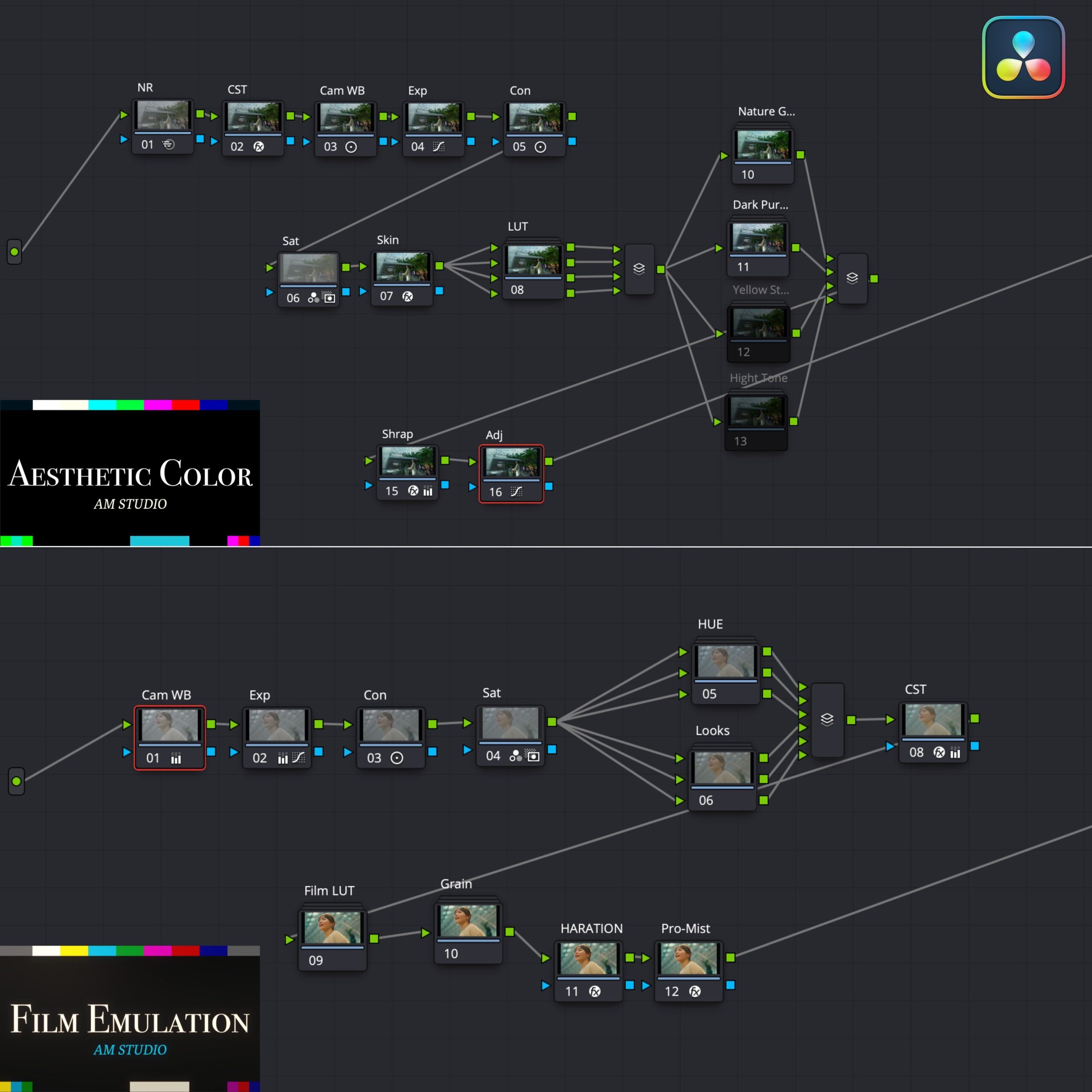
Node Descriptions
①NR-Reduces noise in footage. Use as needed.
② CST – Converts color space based on camera footage, transforming log footage into its natural colors. By default, the setting is set to S-Log3. If you are using a camera with a different profile, adjust only the input color space and input gamma as needed.
③CamWB – Adjusts the white balance.
④Con – Adjusts contrast.
⑤Sat – Adjusts saturation. The default setting is slightly stronger than usual, so feel free to adjust to your preference.
⑥Skin – Adjusts the subject’s skin tones. Select the application area using a qualifier before applying.
⑦LUT – Four LUTs are provided to help you define the main color. You can also blend them together.
Note: For a more natural look, it is recommended not to use LUTs to preserve the original color of the footage.
⑨⑩⑪⑫Parallel Area – Enjoy four different color adjustments.
Turn on each adjustment and select the ones you want to use. You can apply multiple adjustments simultaneously.
Furthermore, each parameter can be readjusted using the tools. You can enjoy Akiya's approach to color adjustments.
⑭Sharp – Adds sharpness to the footage. Feel free to adjust.
⑮Adj – You can add additional settings here.
② CST – Converts color space based on camera footage, transforming log footage into its natural colors. By default, the setting is set to S-Log3. If you are using a camera with a different profile, adjust only the input color space and input gamma as needed.
③CamWB – Adjusts the white balance.
④Con – Adjusts contrast.
⑤Sat – Adjusts saturation. The default setting is slightly stronger than usual, so feel free to adjust to your preference.
⑥Skin – Adjusts the subject’s skin tones. Select the application area using a qualifier before applying.
⑦LUT – Four LUTs are provided to help you define the main color. You can also blend them together.
Note: For a more natural look, it is recommended not to use LUTs to preserve the original color of the footage.
⑨⑩⑪⑫Parallel Area – Enjoy four different color adjustments.
Turn on each adjustment and select the ones you want to use. You can apply multiple adjustments simultaneously.
Furthermore, each parameter can be readjusted using the tools. You can enjoy Akiya's approach to color adjustments.
⑭Sharp – Adds sharpness to the footage. Feel free to adjust.
⑮Adj – You can add additional settings here.
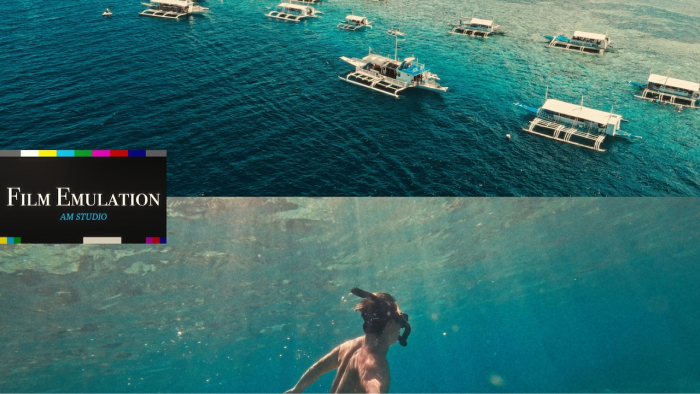
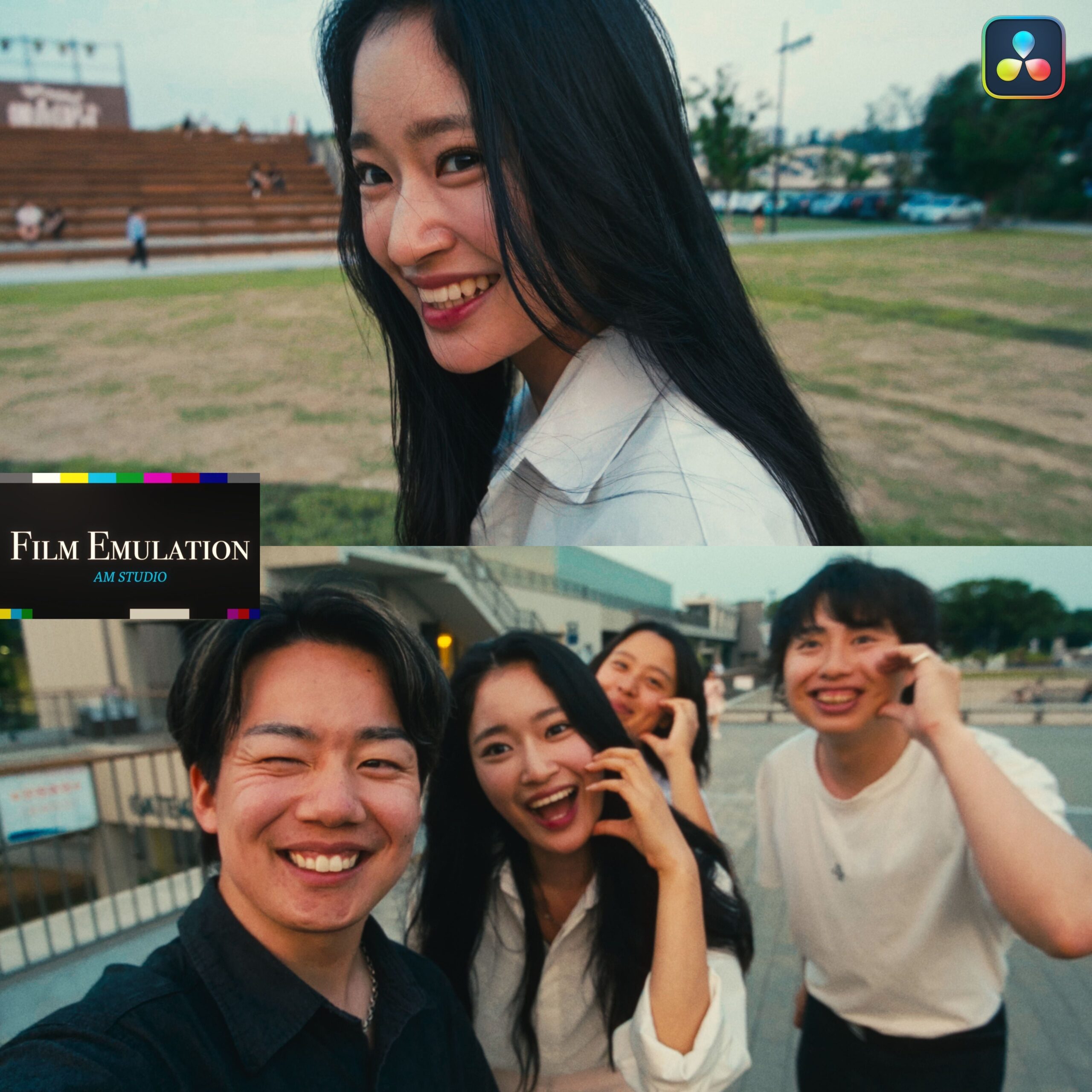
Film Emulation
Film Emulation, as the name suggests, mimics film, converting digital data into a film-like appearance with ease. You can achieve a film-like look that aligns with the latest trends.
Node Descriptions
①CamWB-Adjusts the white balance.
② Exp-Adjusts exposure.
③ Sat – Adjusts saturation. The default setting is slightly stronger than usual, so feel free to adjust to your preference.
④ Con – Adjusts contrast.
⑤ HUE – Allows you to adjust hue and saturation. Feel free to use the prepared parallel nodes as you wish. Choose the ones that align with your concept. Each parameter can be readjusted using the tools.
⑥ Looks – We offer three different Looks. You can turn on each one to adjust. Multiple Looks can be applied simultaneously.
Each parameter can be readjusted with the tools.
⑧ CST – Converts color space based on camera footage, transforming log footage into its natural colors. By default, the setting is set to S-Log3. If you are using a camera with a different profile, adjust only the input color space and input gamma as needed.
⑨Film LUT – A node that primarily defines the appearance of the footage.
Choose one Film LUT from the available nodes.
You can also use one of the four LUTs included with the original LUT.
⑩ Grain – Adds grain to the footage. It can be readjusted to your liking.
⑪ HARATION – Adds film-like phenomena to the footage and slightly blurs it. It can be readjusted to your liking.
⑫ Pro-Mist – Adds a mist filter-like effect to highlighted areas. It can be adjusted to your preference.
② Exp-Adjusts exposure.
③ Sat – Adjusts saturation. The default setting is slightly stronger than usual, so feel free to adjust to your preference.
④ Con – Adjusts contrast.
⑤ HUE – Allows you to adjust hue and saturation. Feel free to use the prepared parallel nodes as you wish. Choose the ones that align with your concept. Each parameter can be readjusted using the tools.
⑥ Looks – We offer three different Looks. You can turn on each one to adjust. Multiple Looks can be applied simultaneously.
Each parameter can be readjusted with the tools.
⑧ CST – Converts color space based on camera footage, transforming log footage into its natural colors. By default, the setting is set to S-Log3. If you are using a camera with a different profile, adjust only the input color space and input gamma as needed.
⑨Film LUT – A node that primarily defines the appearance of the footage.
Choose one Film LUT from the available nodes.
You can also use one of the four LUTs included with the original LUT.
⑩ Grain – Adds grain to the footage. It can be readjusted to your liking.
⑪ HARATION – Adds film-like phenomena to the footage and slightly blurs it. It can be readjusted to your liking.
⑫ Pro-Mist – Adds a mist filter-like effect to highlighted areas. It can be adjusted to your preference.
Q&A
Which editing software or apps is this compatible with?
It is compatible only with DaVinci Resolve.
We have verified compatibility with versions 18 and 19 as of May 2024.
After downloading, please watch the included ‘tutorial video’ before using it.
Purchase Questions
You May Also Like



 POWER GRADE PACK
¥14,800 VAT
POWER GRADE PACK
¥14,800 VAT