
Apple ProRAW Preset Pack
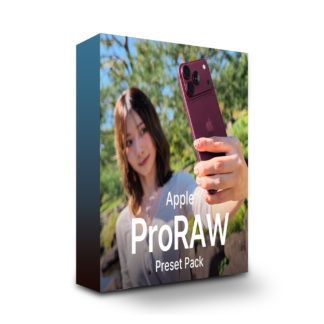

Apple ProRAW Preset Pack — what is it?
Eight develop presets that finish photos shot on iPhone the moment you apply one.
Because they are presets for Adobe Lightroom, they work on iPhone and on Mac and Windows alike.
And because they are based on Apple ProRAW color, they do not drift as iPhone generations change.
All examples shot on iPhone.
Presets included: 8
All eight are built on Adobe’s “Apple ProRaw” profile.They are divided by the direction of the finish.
Not shooting ProRAW? They still work.
These eight are built on Apple ProRAW, but you don’t have to shoot ProRAW.They can be applied to photos shot on iPhone as you normally do.You will still want to tune the amount applied and the brightness to suit the photo — that is true whether or not you shot ProRAW.
The format they are based on
Apple ProRAW
All eight are based on Adobe’s “Apple ProRaw” profile. Even as iPhone generations change, the tonality and the way color comes out do not drift much.
How you usually shoot
HEIF / JPEG
If you have not changed your camera settings, your iPhone is shooting in this format. They can be applied to those as they are, and to photos you took earlier.
All on iPhone, start to finish.
Just import them into Lightroom mobile and save them as presets.After that, apply one to a photo and it is finished on the spot.Even without a Mac or a Windows PC, everything happens on iPhone.
About usage
Lightroom — just apply.
These are presets you import into Adobe Lightroom and use.On iPhone and iPad, and on Mac and Windows, the same eight are available.
Lightroom mobile
iPhone / iPad
iOS / iPadOS 9.4.1 or later. You can finish on your phone alone, right where you shot.The latest Android version is supported too.
Lightroom / Lightroom Classic
Mac / Windows
Lightroom desktop 7.0 or later, Lightroom Classic 14.0 or later.They can also be used in Photoshop’s Camera Raw 17.0 or later.
Can I use them in the free version of Lightroom?
iPhone / iPad
Mac / Windows
Free planCan be applied to HEIF / JPEG photos
Free planCannot be used
Paid planCan also be used on Apple ProRAW (RAW) photos
Paid planWorks on all photos
Apple ProRAW Preset Pack
¥7,500incl. tax
For Lightroom / Camera Raw
Finish right where you shot — eight presets.
Before you use it
- As this is digital content, we cannot generally accept returns or refunds.
- After applying, please adjust exposure to suit the photo. White balance is left at “As Shot” in every preset.
- The “Apple ProRaw” color profile referenced here is (c) 2021 Adobe Systems, Inc. and ships as standard with Lightroom and Camera Raw. It is not included in this product.
- Apple, iPhone and Apple ProRAW are trademarks of Apple Inc., registered in the U.S. and other countries. This product is not certified or endorsed by Apple.
- Adobe and Lightroom are trademarks of Adobe Inc., registered in the U.S. and other countries. This product is not certified or endorsed by Adobe.
Q&A
· Can I use these with the free version of Lightroom?
If the photos are HEIF / JPEG shot on iPhone, you can import them into the free Lightroom mobile and use these presets.
Editing Apple ProRAW photos, or using them on Mac or Windows (Lightroom Classic, Lightroom desktop, Camera Raw), requires a paid Adobe plan.
· Can I use these on photos shot with something other than an iPhone (Android or an interchangeable-lens camera)?
These presets have their color designed around iPhone’s Apple ProRAW.
They can be applied to photos from Android phones or interchangeable-lens cameras, but because color comes out differently, the result will not match the examples.
· Should I use XMP or DNG?
In Lightroom on a phone, import the ZIP file; in Lightroom or Lightroom Classic on Mac or Windows, import the files in the “Presets (XMP)” folder.
The DNG files are an alternative for when the ZIP will not import, or when Lightroom mobile is older than 9.4.1.
· I’m not sure how to import them.
This article walks through the import steps for Lightroom on a phone, Lightroom on Mac and Windows, and Lightroom Classic.
How to install the Apple ProRAW Preset Pack | Lightroom and Lightroom Classic
· Can I use these on a non-Pro model?
Yes. Only Pro models can shoot Apple ProRAW, but the presets can also be applied to HEIF / JPEG photos shot normally on iPhone.
Purchase Questions
You May Also Like


 Apple ProRAW Preset Pack
¥7,500 VAT
Apple ProRAW Preset Pack
¥7,500 VAT