



Apple Log LUT PACK G2
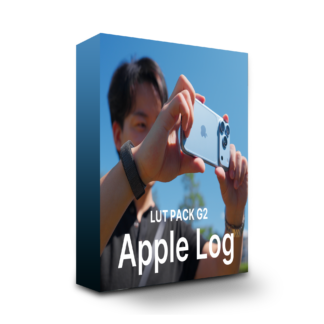

Apple Log LUT PACK G2 — what is it?
Just pick one of the ten looks and apply it to video shot in Apple Log on iPhone.
The same ten looks work as they are on footage from the new Apple Log 2.
Ten carefully chosen looks — one pack for any scene.
Two new looks have been added to the existing eight.
Base Color has been revised as well.
BEFOREAFTER
BEFOREAFTER
BEFOREAFTER
BEFOREAFTER
BEFOREAFTER
BEFOREAFTER
BEFOREAFTER
BEFOREAFTER
BEFOREAFTER
BEFOREAFTER
Graded with the LUTs alone.
Shot on iPhone,
with the color graded using this product’s LUTs alone.
Why shoot in Apple Log?
Shoot in Apple Log and the footage looks flat, with washed-out color.
Keeping the color deliberately flat is what widens the room you have to finish it in the edit.
This product gives you ten ways to finish it.
Apple Log 2 and ProRes RAW are both supported.
Apple Log 2, explained
Apple Log 2 is a new Log introduced with iPhone 17 Pro.
It can record a wider range of color than Apple Log.
All ten looks in this product work with either Log as they are.
Even if you change how you shoot, there is no need to swap LUTs.
ProRes RAW for even higher quality
ProRes RAW is a recording format that holds more information than Apple Log.
Your editing software converts it to Apple Log on import, so nothing special is needed.
Whether you shoot Apple Log or ProRes RAW, the same ten looks work as they are.
Blackmagic Camera works too
Load them into the Blackmagic Camera app on iPhone and
you can shoot while seeing the finished color.
The recorded footage stays Log, so
the room you have to adjust in the edit is unchanged.
Already bought it? The update is free.
STEP 01
Download the latest version from My Account
Using the account you purchased with, open Downloads in My Account and get the latest G2 files.
STEP 02
Set it up while following the tutorial
The tutorial article explains how to import them.
Apple Log LUT PACK G2
¥7,500incl. tax
Ten looks that finish Apple Log footage in one go.
Log 2, too — with this one pack.
Before you use it
- Before buying, please confirm that your editing software can load .cube LUTs.
- How the examples look will vary with the footage you shot and your camera settings.
You may need to adjust brightness after applying one. - If you are using ProRes RAW footage, please check that the RAW setting in your editing software is
set to Apple Log or Apple Log 2. - As this is digital content, we cannot generally accept returns or refunds.
- You may use them in the video work you produce, but you may not redistribute or sell the LUT files themselves.
- This product is not certified or endorsed by Apple.
Q&A
· Which editing software can I use this with?
We have confirmed operation in DaVinci Resolve 21, Final Cut Pro 12 and Adobe Premiere Pro 2026 (as of September 2026).
Please follow the steps for your editing software, then load and use the LUT (.cube file).
Purchase Questions
You May Also Like



 Apple Log LUT PACK G2
¥7,500 VAT
Apple Log LUT PACK G2
¥7,500 VAT