




LUMIX Color Palette
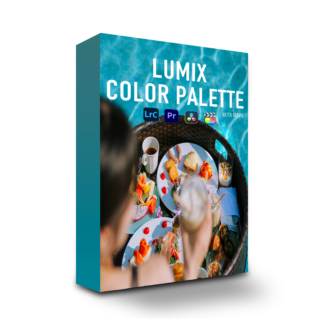
LUMIX Color Palette
¥19,800 VAT

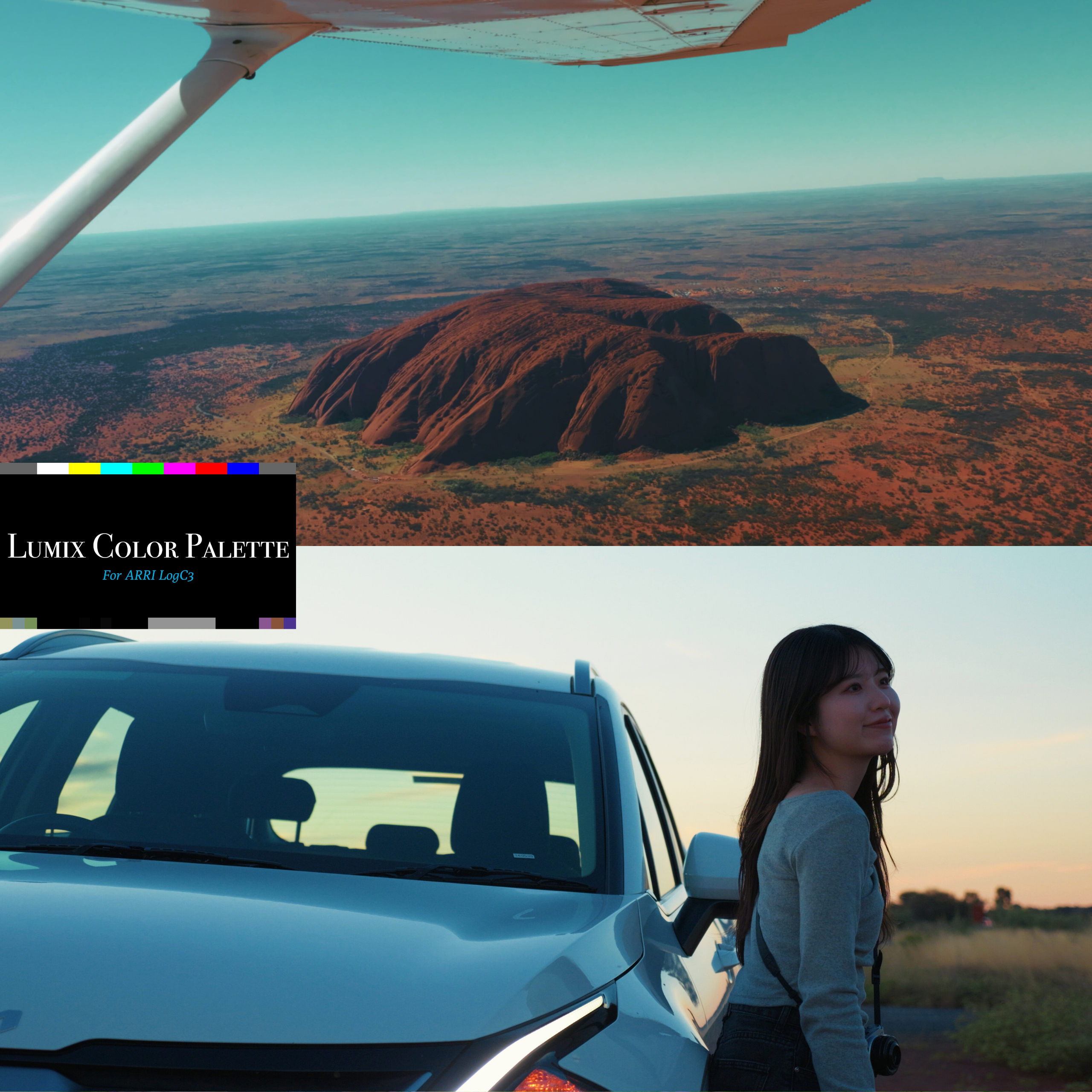
What is the LUMIX Color Palette?
Five Lightroom presets / two Real Time LUTs / four original LUTs / two PowerGrades — 13 pieces of digital content in all. Note: every profile is made specifically for LUMIX cameras.
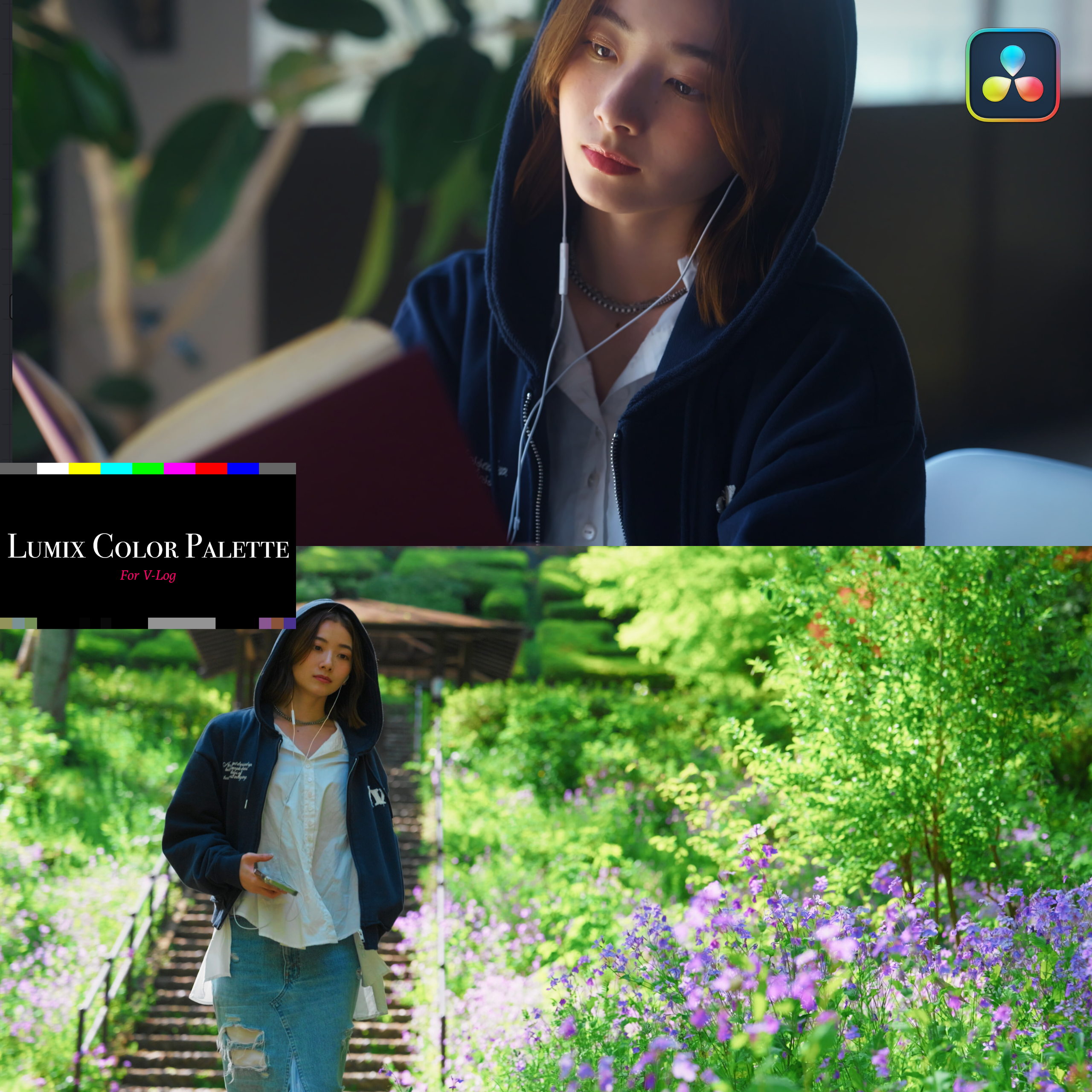
A color system that finishes photos and video to a high standard while making the most of LUMIX’s own beautiful color.
You gave Log shooting a try, but the color grading never quite comes together — and you want photo editing to be easier, higher quality and faster.
That is what this solves.
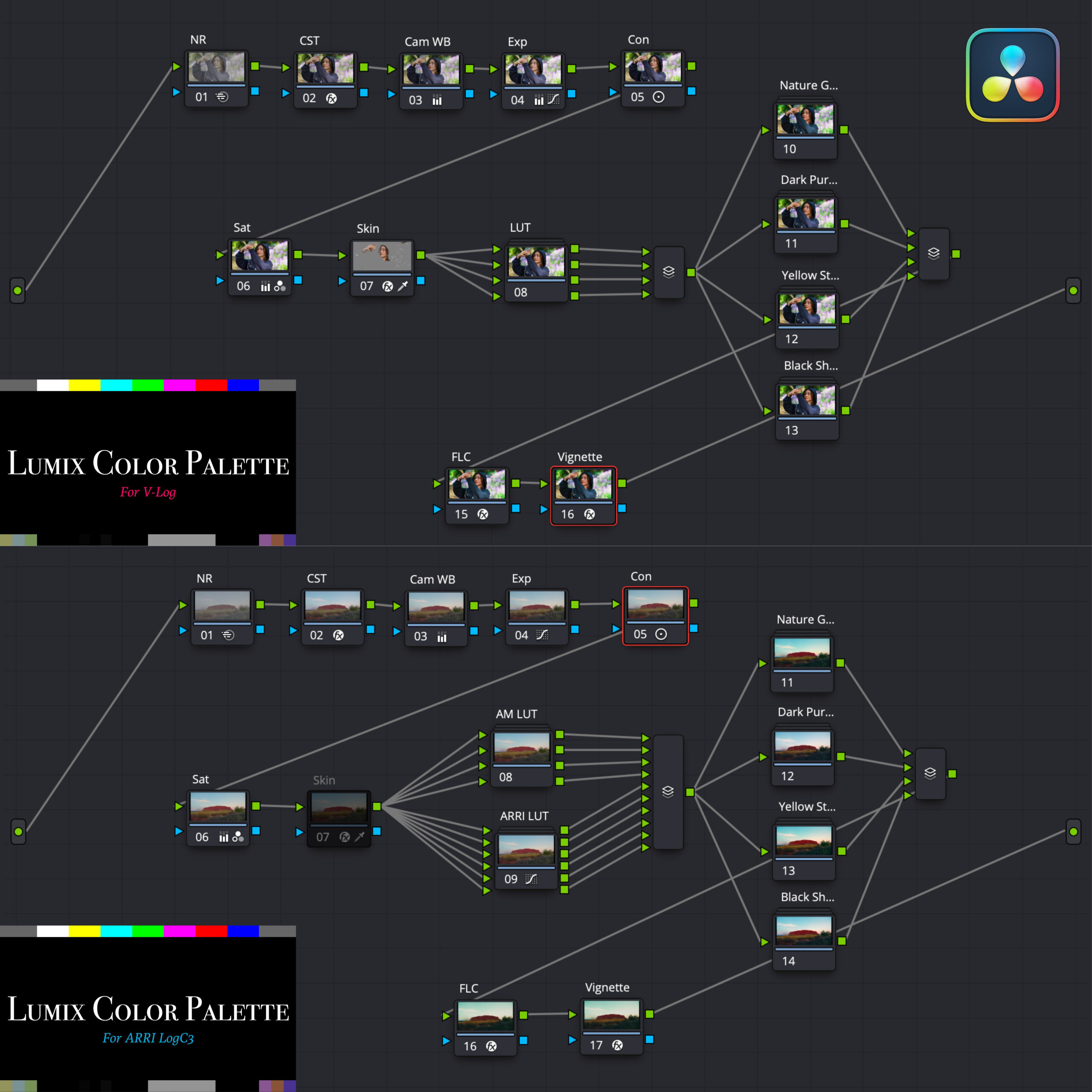
Two PowerGrades are provided: V-Log and ARRI LogC3.
Note: the ARRI LogC3 PowerGrade was updated on June 21, 2025. If you have already purchased, please download the file again and use the latest version.
A color system that finishes photos and video to a high standard while making the most of LUMIX’s own beautiful color.
You gave Log shooting a try, but the color grading never quite comes together — and you want photo editing to be easier, higher quality and faster.
That is what this solves.
Two PowerGrades are provided: V-Log and ARRI LogC3.
Note: the ARRI LogC3 PowerGrade was updated on June 21, 2025. If you have already purchased, please download the file again and use the latest version.
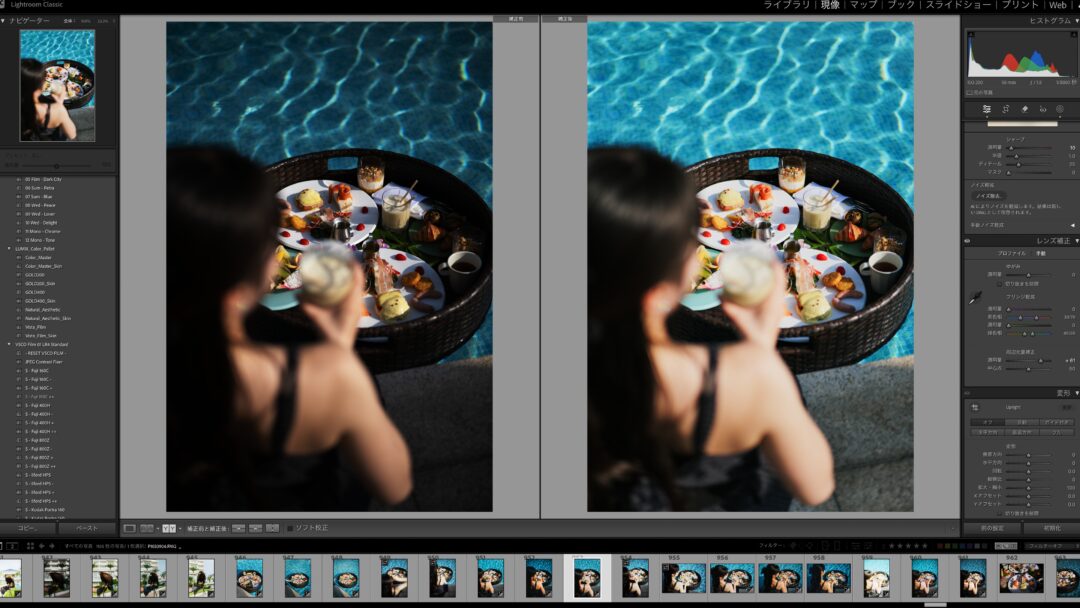
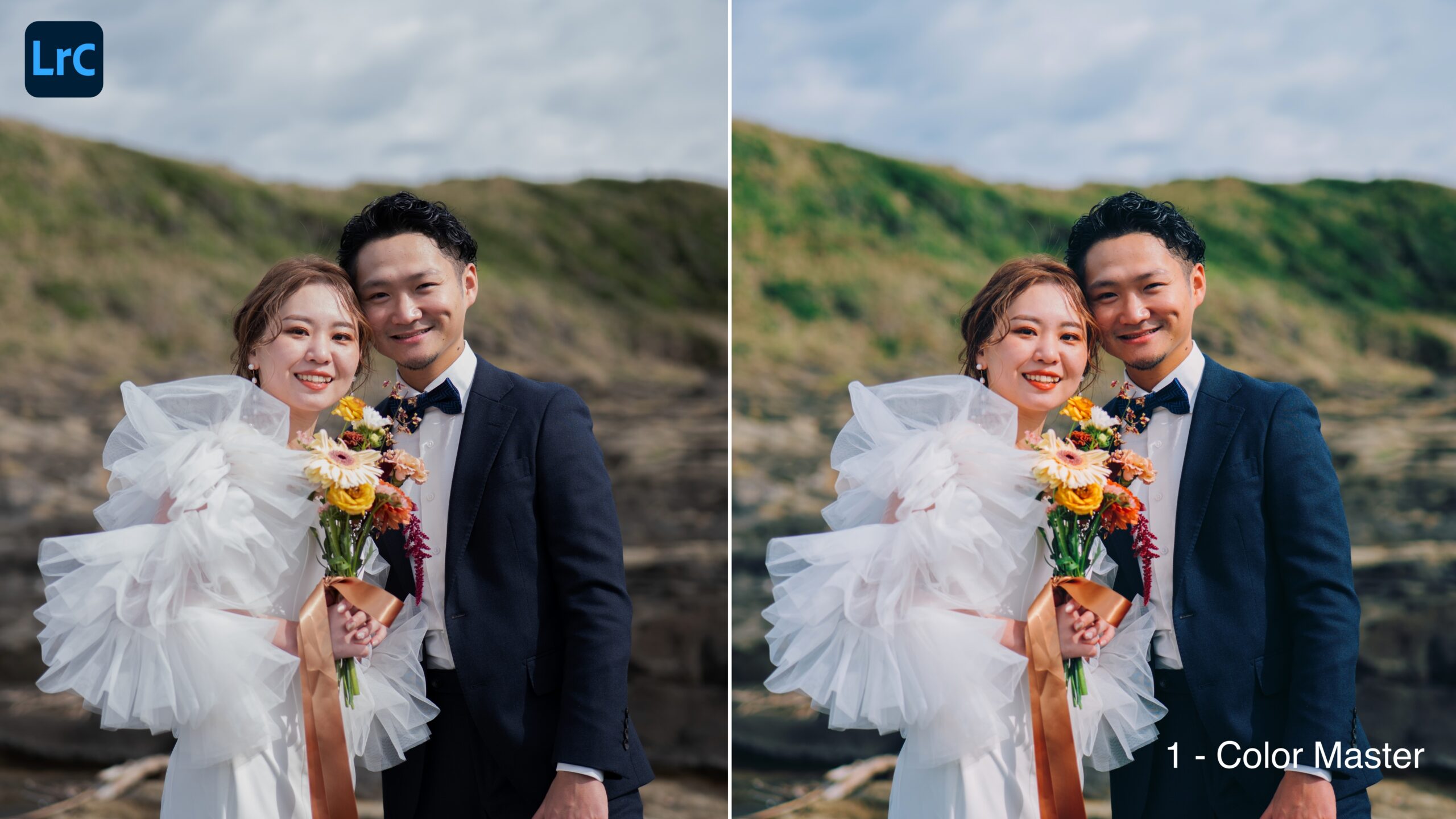
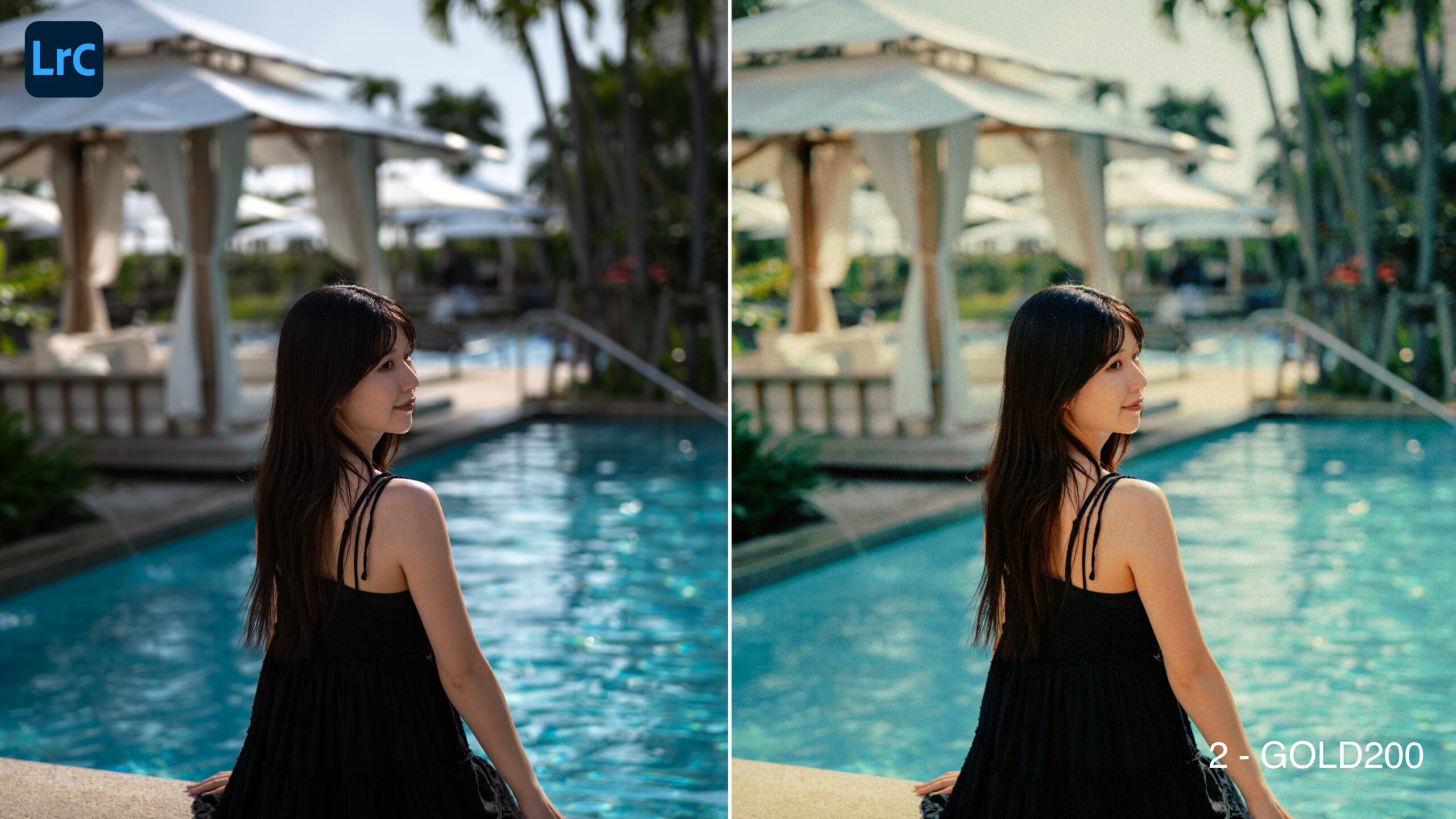
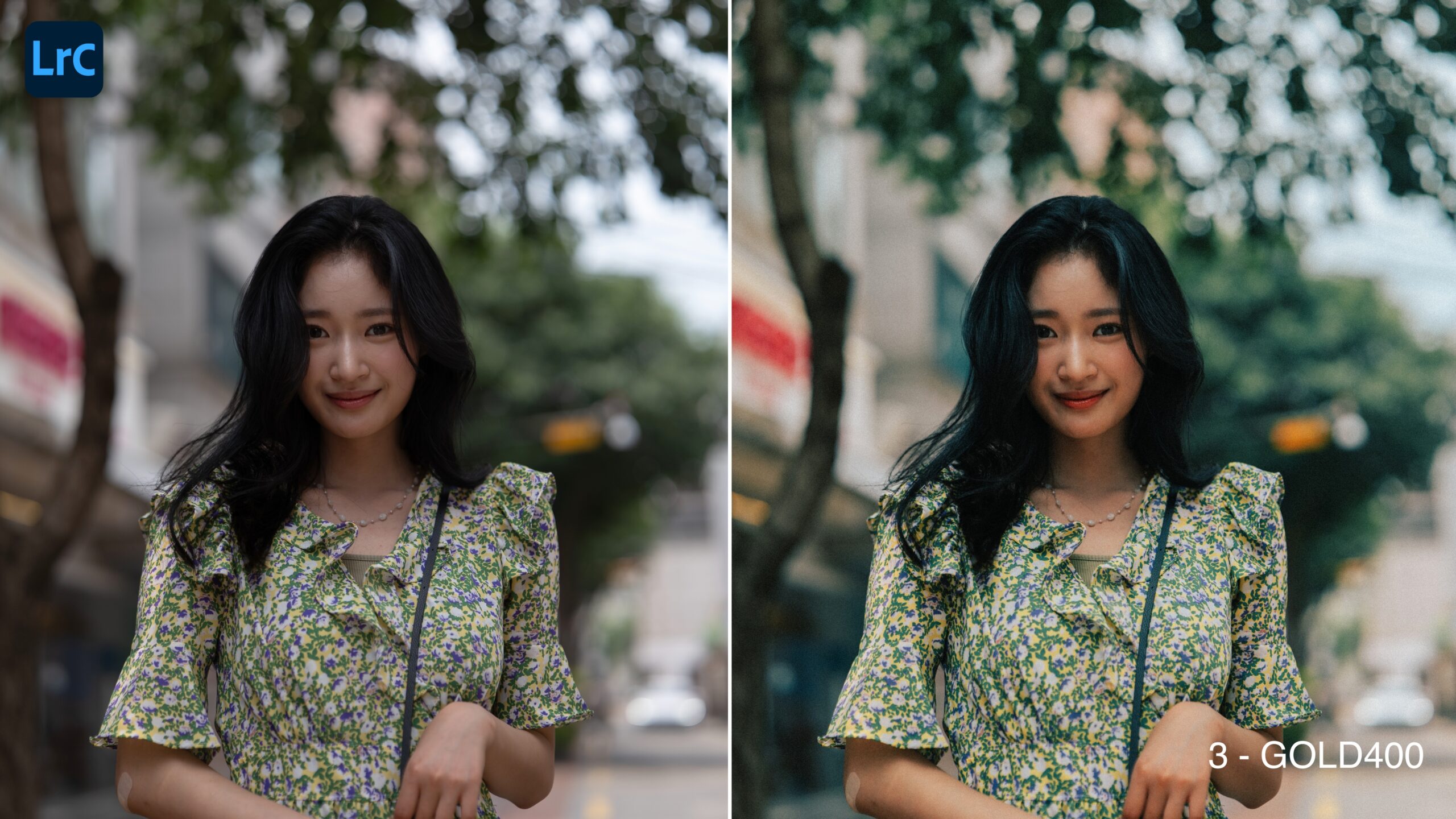
5 Lightroom Preset
They can be used on mobile and on desktop.
Optimized for editing RAW photos from LUMIX cameras. (They work with the camera’s own color information.)
In addition to the five standard presets, a “Skin” version is included; using it corrects skin tones automatically.
Adjust them to suit each scene.
- Preset types -
① Color Master
② Color Master _Skin
③ GOLD200
④ GOLD200_Skin
⑤ GOLD400
⑥ GOLD400_Skin
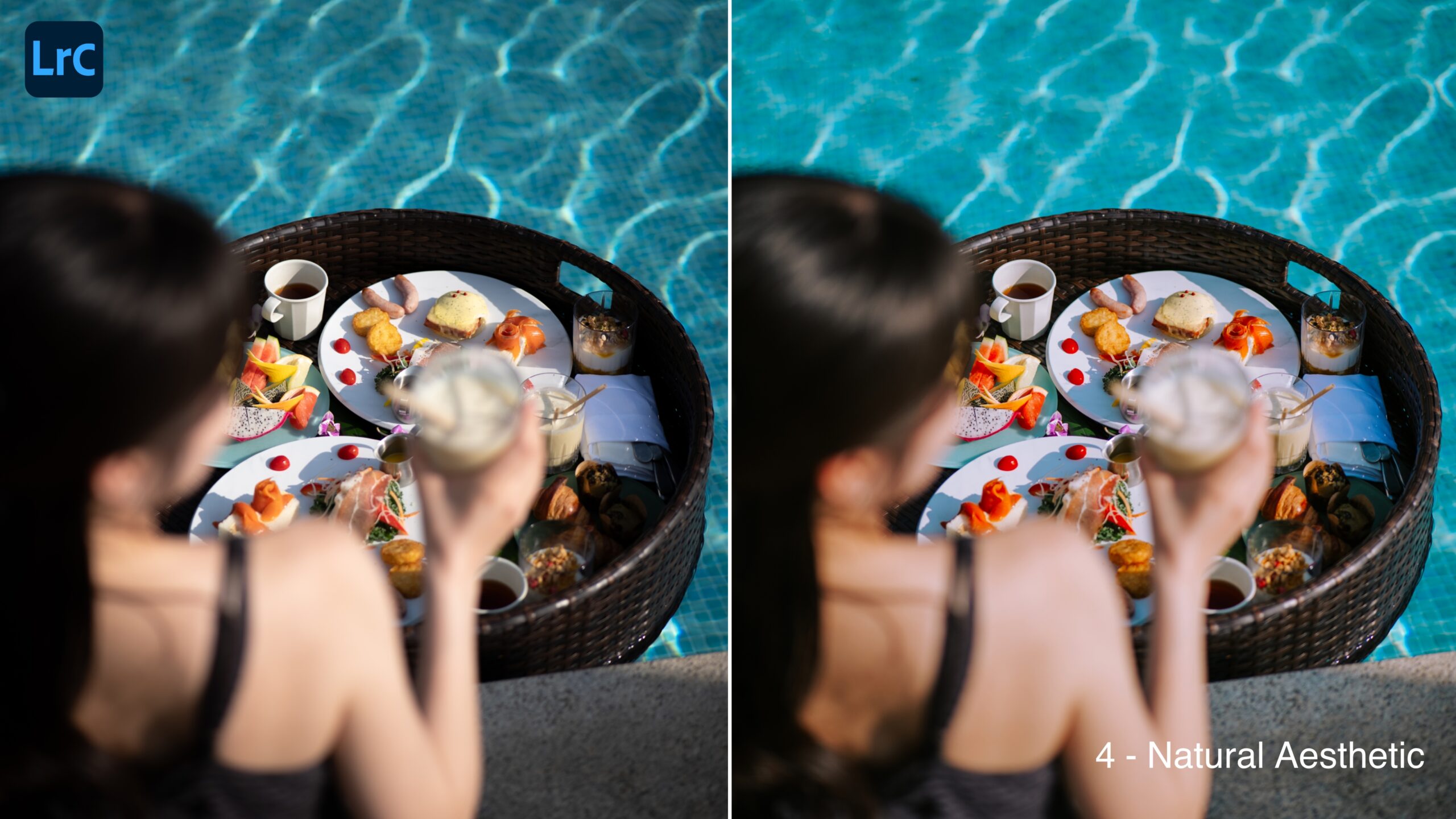
⑦ Natural_Aesthetic
⑧ Natural_Aesthetic_Skin
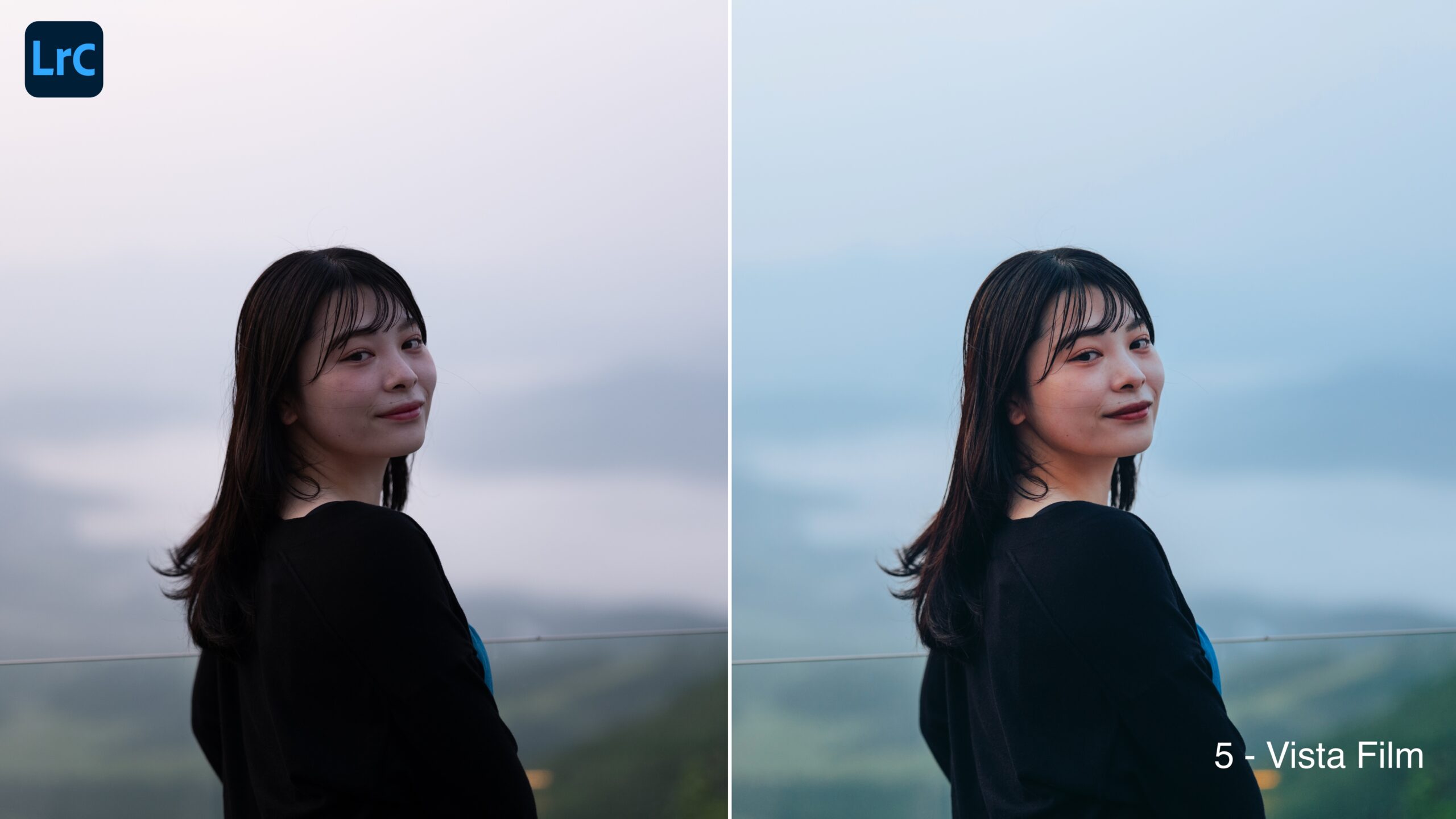
⑨ Vista Film
⑩ Vista Film_Skin
Optimized for editing RAW photos from LUMIX cameras. (They work with the camera’s own color information.)
In addition to the five standard presets, a “Skin” version is included; using it corrects skin tones automatically.
Adjust them to suit each scene.
- Preset types -
① Color Master
② Color Master _Skin
③ GOLD200
④ GOLD200_Skin
⑤ GOLD400
⑥ GOLD400_Skin
⑦ Natural_Aesthetic
⑧ Natural_Aesthetic_Skin
⑨ Vista Film
⑩ Vista Film_Skin
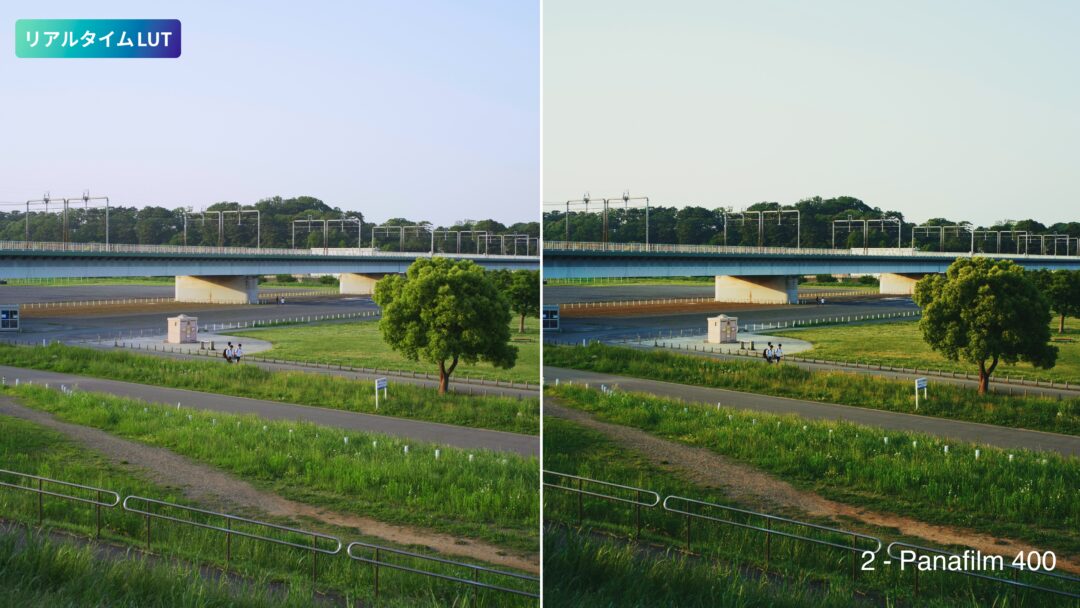
2 Real Time LUT
For LUMIX cameras that support Real Time LUT.
LUTs for two directions: “aesthetic” and “film-like”.
Optimized for use with V-Log when shooting photos and video.
From Photo Style → MY PHOTO STYLE you can change how strongly a LUT is applied, and blend up to two of them.
Try dialing in the color that suits your own taste.
- Real Time LUT types -
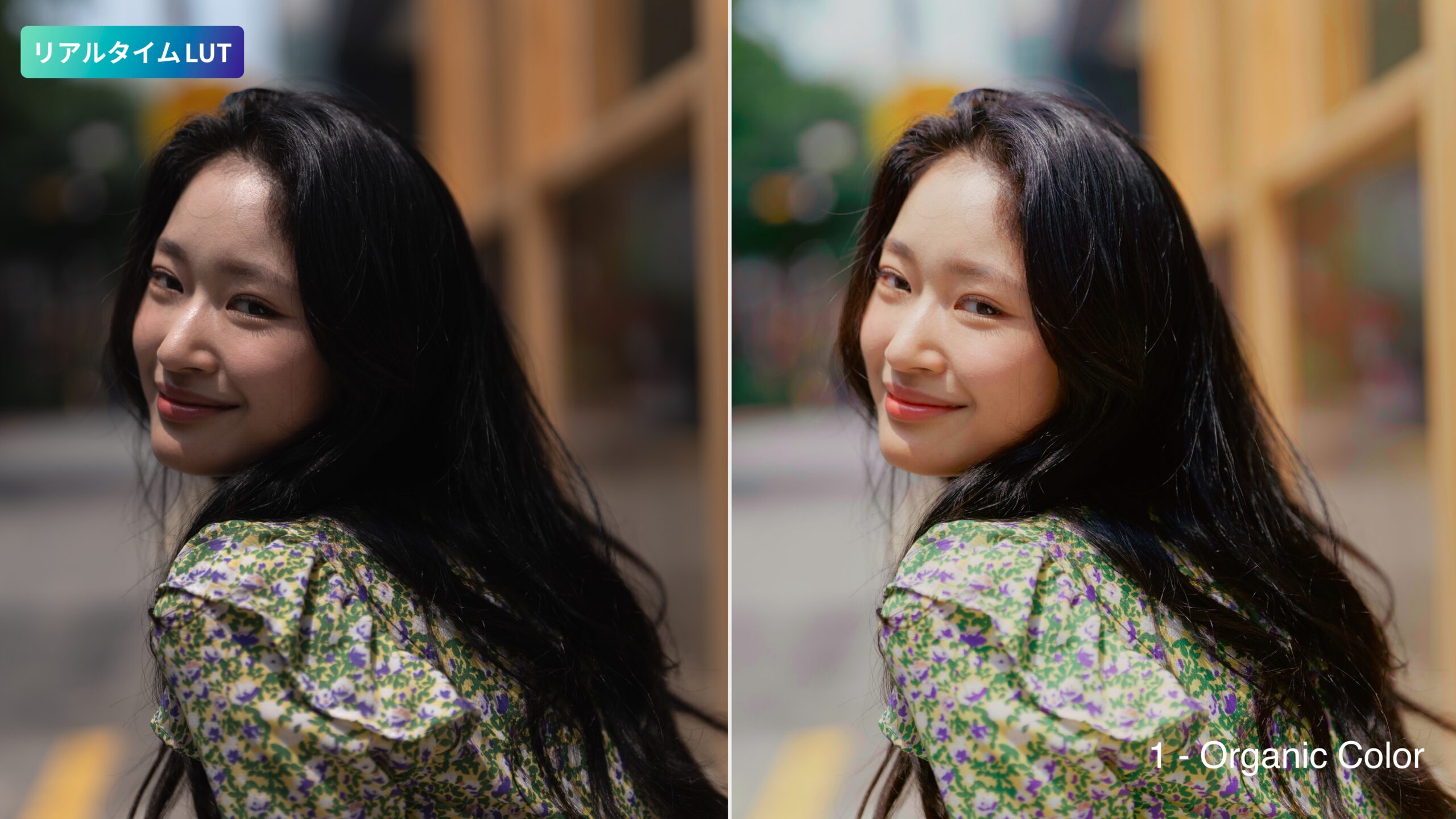
① Organic Color
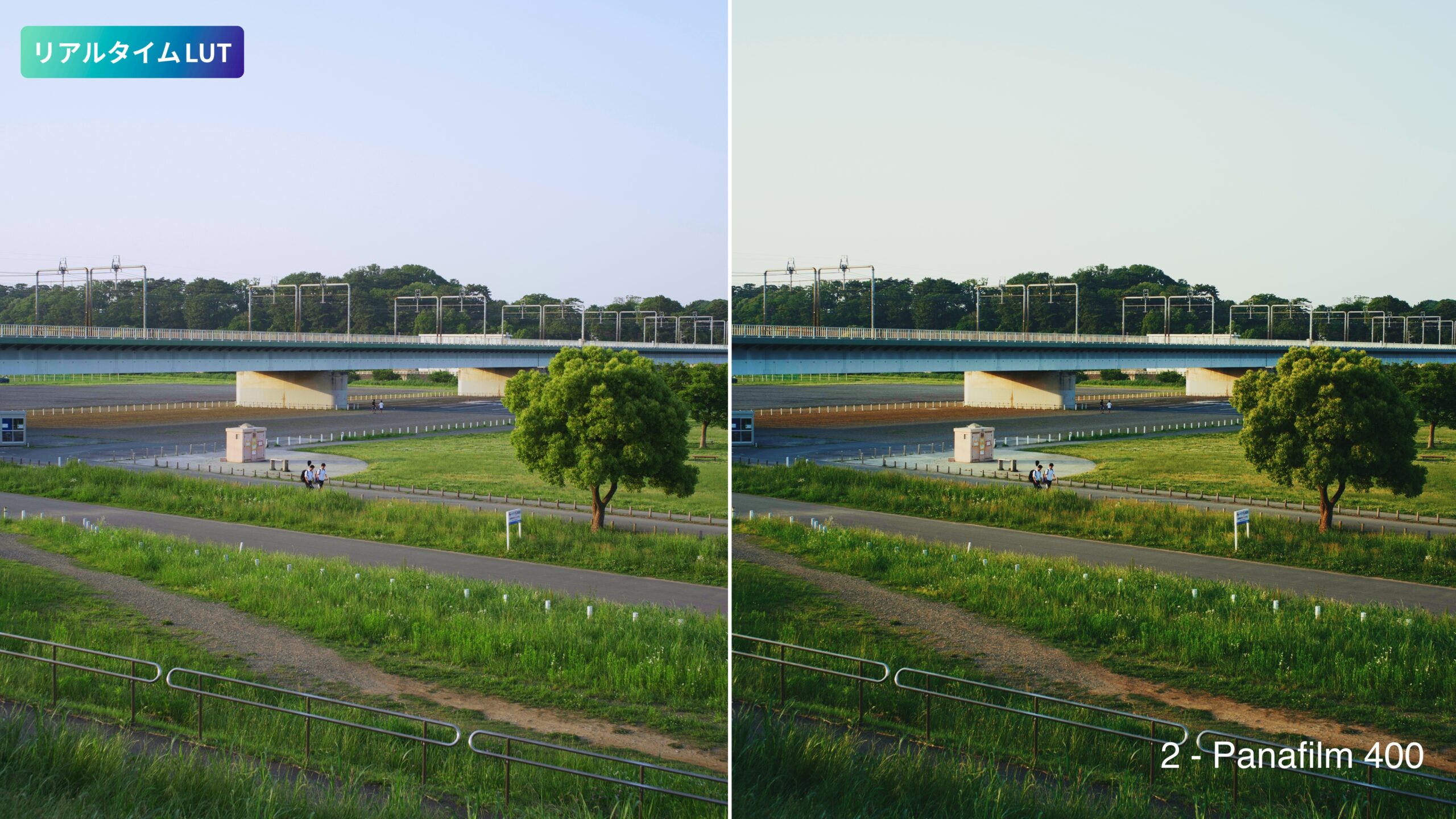
② Panafilm 400
LUTs for two directions: “aesthetic” and “film-like”.
Optimized for use with V-Log when shooting photos and video.
From Photo Style → MY PHOTO STYLE you can change how strongly a LUT is applied, and blend up to two of them.
Try dialing in the color that suits your own taste.
- Real Time LUT types -
① Organic Color
② Panafilm 400
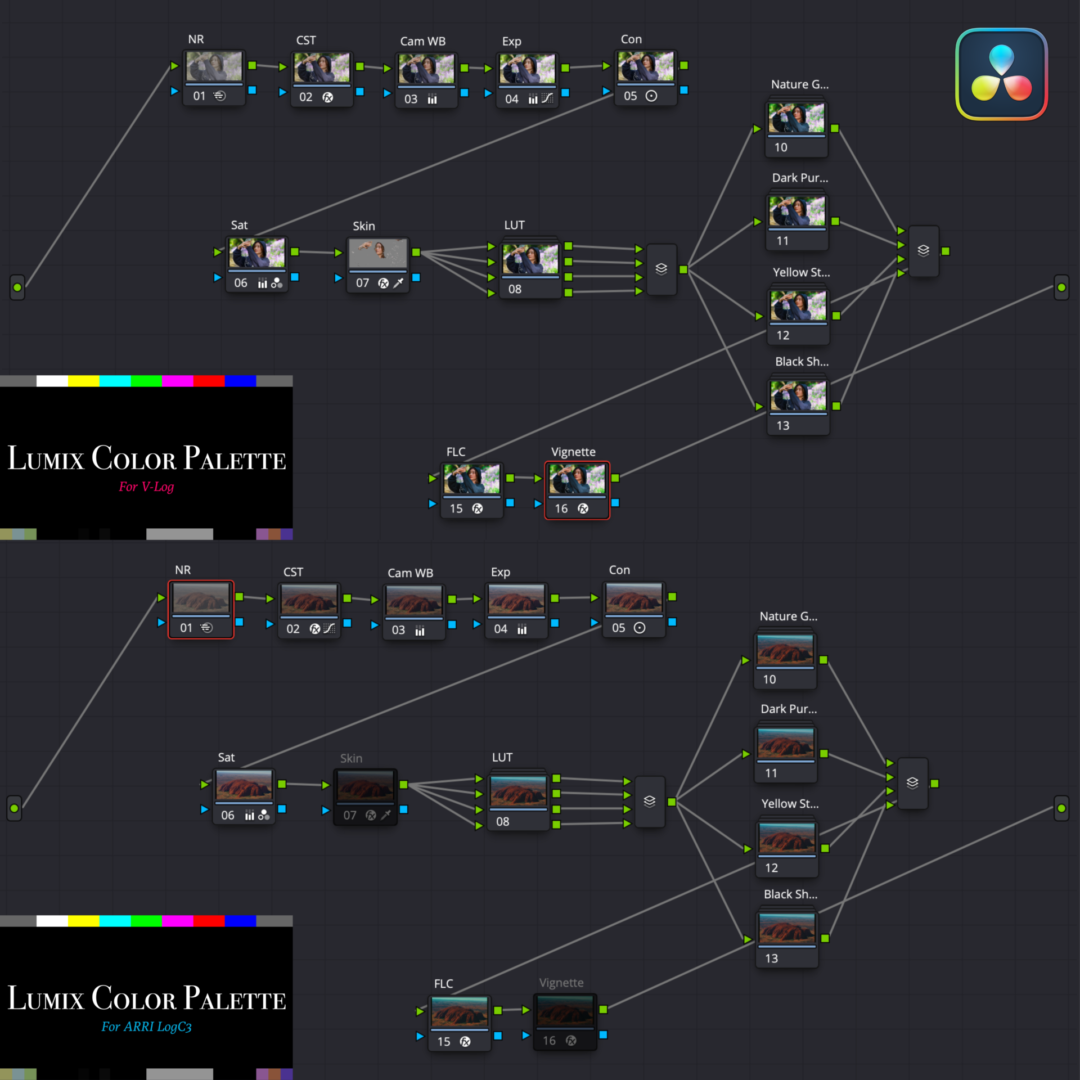
2 PowerGrade & 4 Original LUT
The PowerGrades cover both V-Log and ARRI LogC3. Note: one of each.
ARRI LogC3 can be used on supported models.
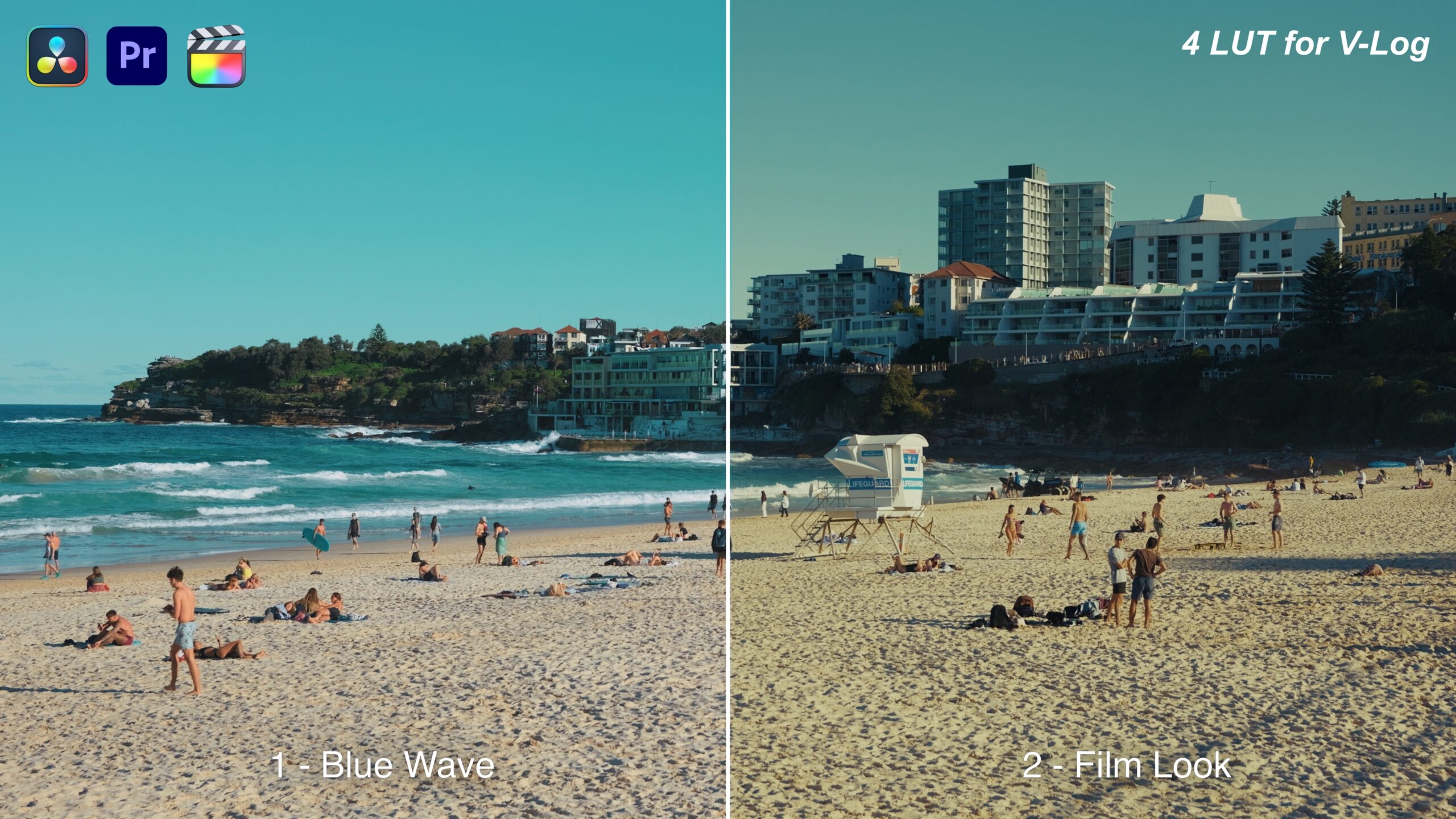
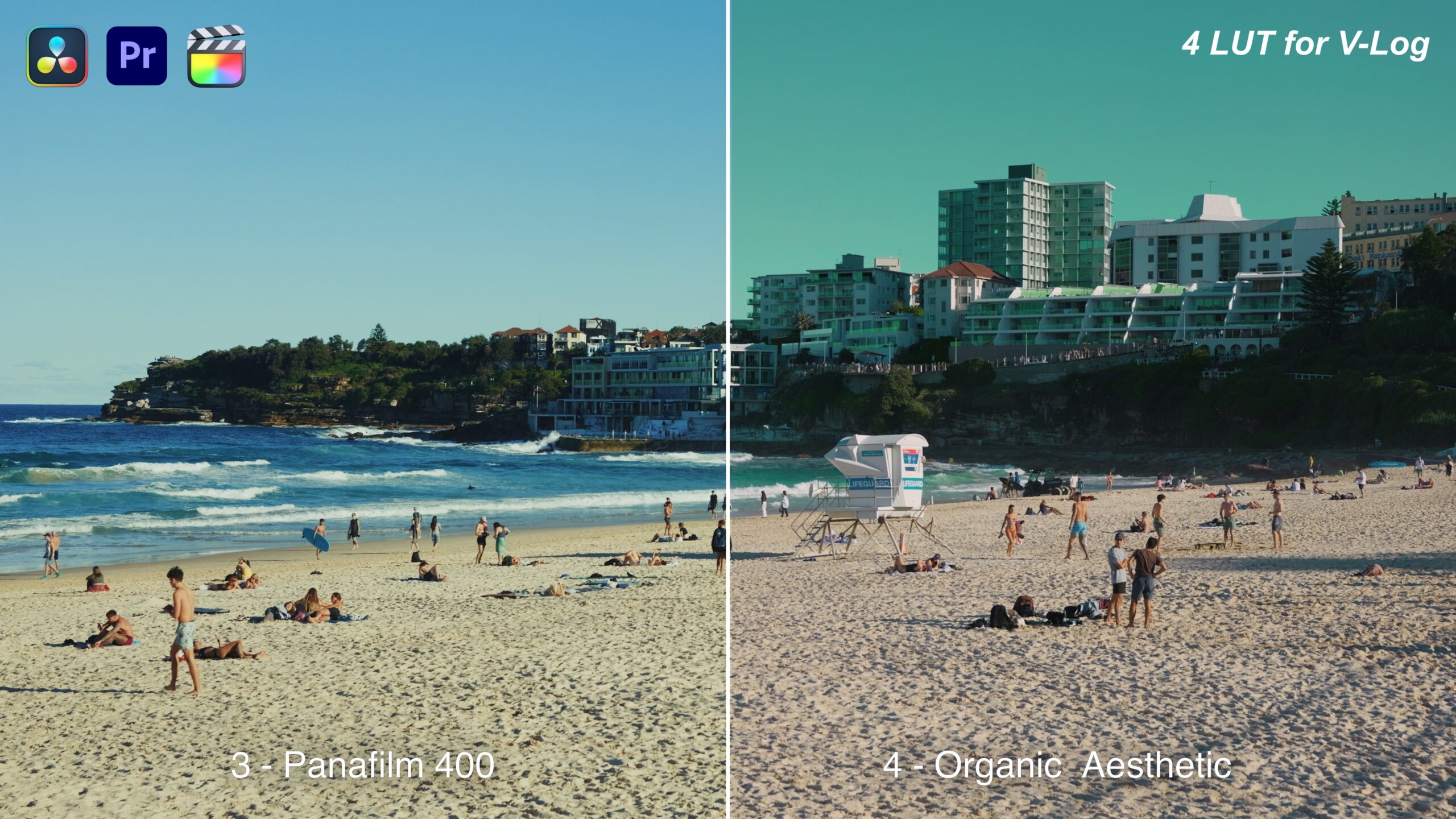
Together with the four original LUTs, you can finish in any color pattern you like.
You can build a look with real character while keeping LUMIX’s color as it is, and add effects that really land, using DaVinci Resolve’s own tools.
- What each node does -
① NR - handles noise in the footage. Use it as needed.
② CST - converts the color space based on the camera data you shot, bringing Log footage to its intended color.
③ CamWB - adjusts white balance.
④ Exp - adjusts the brightness of the footage.
⑤ Con - adjusts contrast.
⑥ Sat - adjusts saturation. (The default is a little strong — adjust it to taste.)
⑦ Skin - corrects the subject’s skin. When using it, select the area with the Qualifier first.
⑧⑨⑩⑪ LUT - four LUTs are provided. This is where you decide the main color. They can also be blended together.
Note: if you want more natural color, we recommend leaving it off.
⑫ Parallel area - four color adjustments to play with.
Switch each one on and pick the ones you want to use. Several can be applied at once.
Every parameter can be readjusted in each tool. You can work the way AKIYA himself grades, day to day.
⑮ FLC - lets you adjust Film Look Creator. It comes set to AKIYA’s own preferred values. Grain, halation, film sensitivity and more can be adjusted.
⑯ Vignette - adds a vignette, and lets you adjust it.
Four original LUTs are included, but because they are 65-point LUTs for the highest quality while editing, they cannot be loaded into the camera.
If you want to load the four original LUTs into the camera, please convert them to 33-point LUTs yourself.
Some PowerGrade features are not available in the free version of DaVinci Resolve.
In that case, switch the relevant nodes off and work with the rest. Also note that DaVinci Resolve for iPad is not supported.
Please watch the instructional video carefully before installing.
- LUT types -
① Blue Wave
② Film Look
③ Panafilm 400
④ Organic Aesthetic
ARRI LogC3 can be used on supported models.
Together with the four original LUTs, you can finish in any color pattern you like.
You can build a look with real character while keeping LUMIX’s color as it is, and add effects that really land, using DaVinci Resolve’s own tools.
- What each node does -
① NR - handles noise in the footage. Use it as needed.
② CST - converts the color space based on the camera data you shot, bringing Log footage to its intended color.
③ CamWB - adjusts white balance.
④ Exp - adjusts the brightness of the footage.
⑤ Con - adjusts contrast.
⑥ Sat - adjusts saturation. (The default is a little strong — adjust it to taste.)
⑦ Skin - corrects the subject’s skin. When using it, select the area with the Qualifier first.
⑧⑨⑩⑪ LUT - four LUTs are provided. This is where you decide the main color. They can also be blended together.
Note: if you want more natural color, we recommend leaving it off.
⑫ Parallel area - four color adjustments to play with.
Switch each one on and pick the ones you want to use. Several can be applied at once.
Every parameter can be readjusted in each tool. You can work the way AKIYA himself grades, day to day.
⑮ FLC - lets you adjust Film Look Creator. It comes set to AKIYA’s own preferred values. Grain, halation, film sensitivity and more can be adjusted.
⑯ Vignette - adds a vignette, and lets you adjust it.
Four original LUTs are included, but because they are 65-point LUTs for the highest quality while editing, they cannot be loaded into the camera.
If you want to load the four original LUTs into the camera, please convert them to 33-point LUTs yourself.
Some PowerGrade features are not available in the free version of DaVinci Resolve.
In that case, switch the relevant nodes off and work with the rest. Also note that DaVinci Resolve for iPad is not supported.
Please watch the instructional video carefully before installing.
- LUT types -
① Blue Wave
② Film Look
③ Panafilm 400
④ Organic Aesthetic
Q&A
Purchase Questions
You May Also Like



 LUMIX Color Palette
¥19,800 VAT
LUMIX Color Palette
¥19,800 VAT