DaVinci Resolve

Shutter Pack

Shutter Pack
Shutter Pack
¥29,800 VAT

What is Shutter Pack?

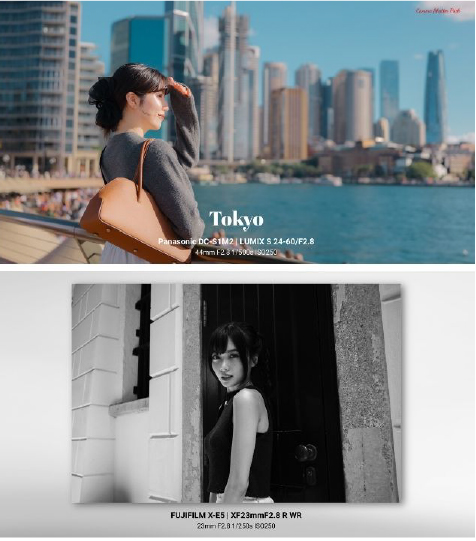
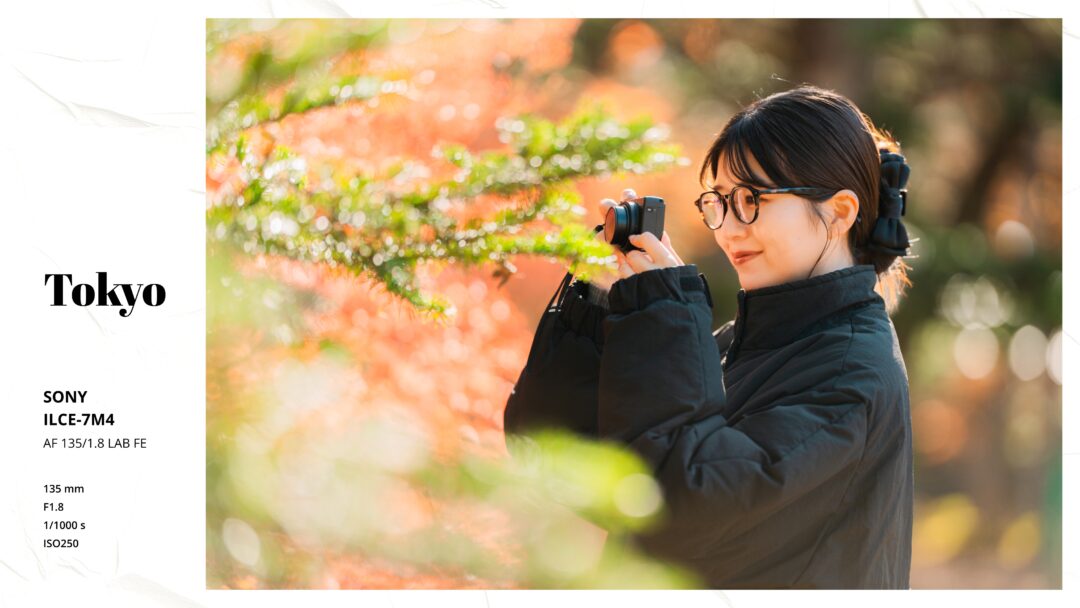
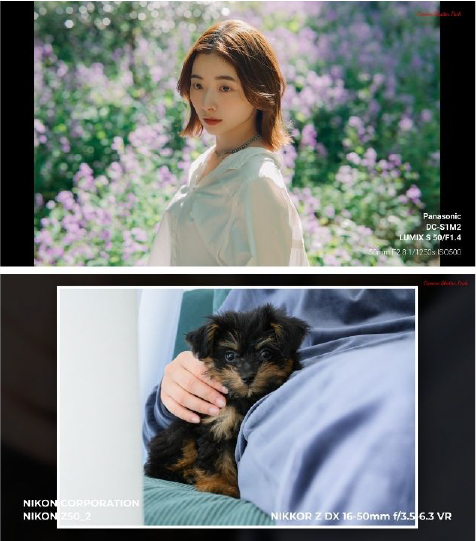
A DaVinci Resolve plugin that automatically analyzes a photo’s EXIF data and presents the camera and lens information in a polished design.

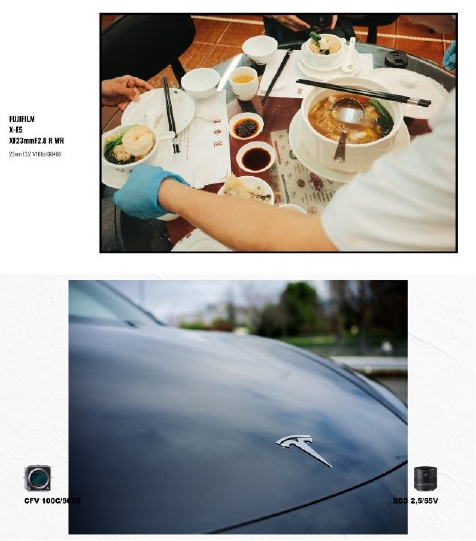
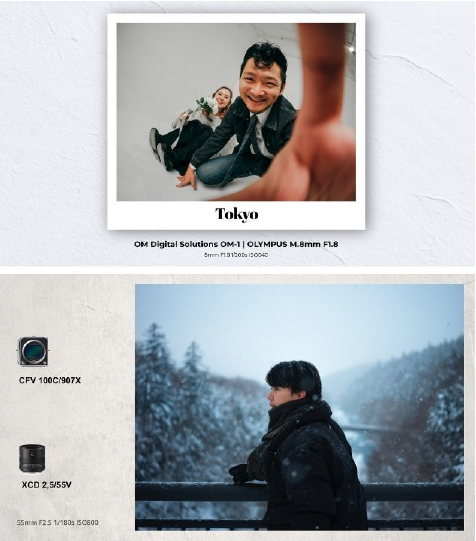
Automatically add a professional information display to photos taken with DSLRs, mirrorless cameras, and smartphones. Shutter Pack extracts the manufacturer, camera, lens, shooting settings, date, and time and displays them in a choice of stylish presets.

Automate manual text entry during video editing and streamline how you save and share shooting records.
From camera enthusiasts to professional filmmakers, creators can spend less time building graphics and give photo and video projects a polished, credible presentation.


What’s included
· Shutter Pack script files, including 17 presets
· Generator (the main Shutter Pack module)
· 10 transitions and a dedicated font

DaVinci Resolve for iPad is not supported.
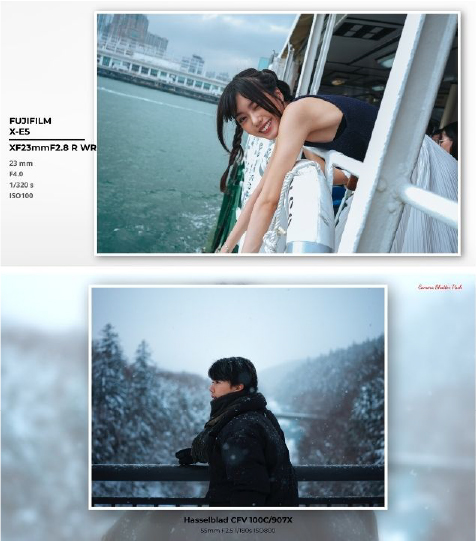


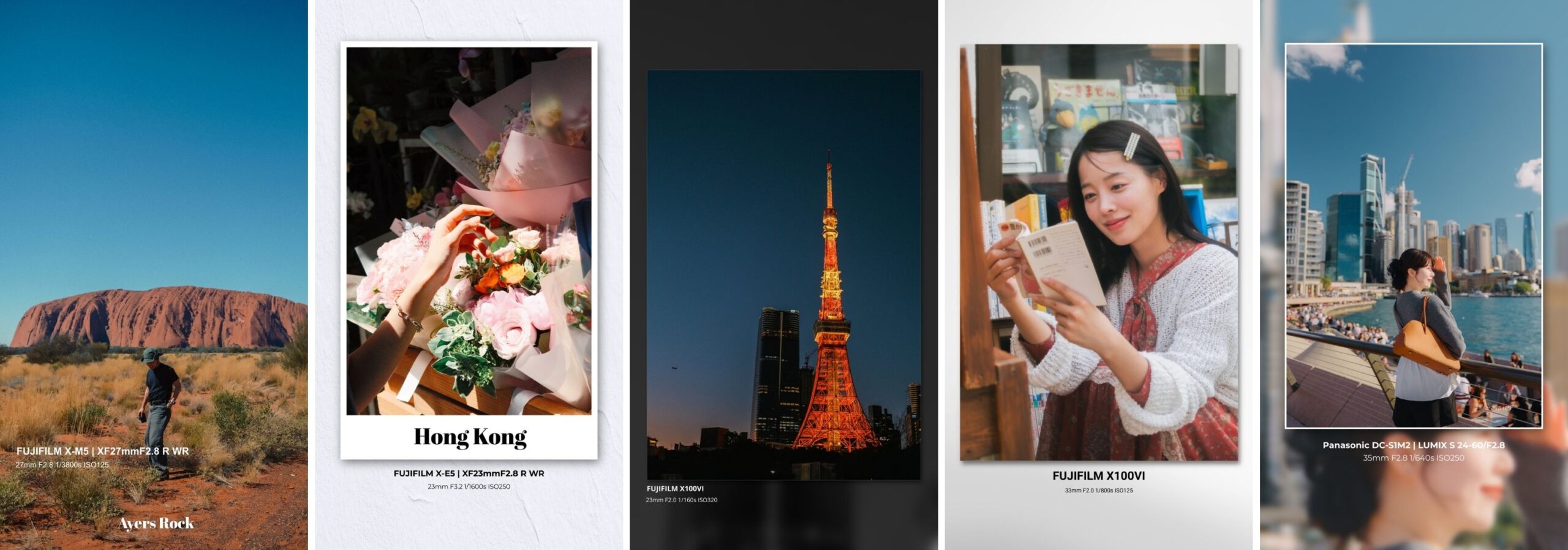
Supports vertical video

Shutter Pack supports 9:16 vertical video in 4K and FHD.

Use it with vertical formats such as YouTube Shorts, Instagram Reels, and TikTok.


Includes five presets designed specifically for vertical video.


17 customizable preset designs

  Extensive customization options let you apply a wide range of design effects to your photos.  

Save your customized designs as presets and share them with friends or team members. [Background & Frame Effects]

– Choose from the included paper and shadow backgrounds – Background blur and color filters – Background opacity controls – Add a border to your photo – Instant-camera-style frame effect – Add a drop shadow


[Layout Controls] – Reposition and arrange EXIF information – Add and position logos, camera images, and lens images – Reposition and customize the date display – Freely change the text design, font, size, and color – Freely customize the overall layout


[Preset Features] – 17 included presets (see the product gallery) – Save your own settings – Switch instantly between presets

10 transition effects

Includes 10 transitions that smoothly connect your photos.
Create polished slideshows for video projects.


[Transition Types] 1. Aperture Diasphragm (lens aperture opens and closes) 2. Camera Flash (flashes like a camera) 3. Camera Shutter (shutter curtain opens and closes) 4. Lift the Page (page-turn effect) 5. News Paper (newspaper-style page replacement) 6. Red Flare (flame-like flare) 7. Rip the Paper (torn-page transition) 8. Slide Horizontal (horizontal slide) 9. Slide Vertical (vertical slide) 10. Zoom In (zoom-in effect)

Key features and specifications

– Automatically extract and display EXIF information – Freely customize the design – A broad selection of preset designs – Streamline your workflow by saving and reusing presets – Add logos, camera images, and lens images – Support for resolutions up to 4K – A broad selection of transitions


[Faster Video-Editing Workflow] – Greatly reduce manual entry of EXIF data – Reuse presets for a consistent design – Smoothly connect photos with the included transitions


[Automatically Display Camera Information] Shutter Pack analyzes a digital photo’s EXIF data and presents it in a polished layout. It automatically extracts and positions details such as the camera model, lens, aperture, shutter speed, ISO, and capture date and time.


[Automatic Photo EXIF Extraction] Automatically extract information, with the option to edit it later in Settings – Automatically extract and display the manufacturer, camera model, and lens – Automatically extract and display the aperture, shutter speed, and ISO – Automatically format the capture date and time – Freely customize the text design


[Technical Specifications] – Maximum resolution: 4K (3840×2160) – Supported formats: JPG, PNG, and TIFF (standard photo formats) – Date format: ’YY MM DD (example: ’24 03 15) – Supported cameras: digital cameras that record EXIF data – System requirement: DaVinci Resolve 19.1 or later (Free and Studio versions supported)

Q&A

Answers to frequently asked questions.


Q: Does it work on Windows?
A: Yes. It works on both macOS and Windows.


Q: Which cameras are supported?
A: It supports digital cameras from any manufacturer as long as they record EXIF data. With vintage lenses that do not have electronic contacts, only the camera information can be read.
In rare cases, DaVinci Resolve may be unable to retrieve camera information from certain lenses or images.


Q: Does it support photos taken with smartphones?
A: Yes. It supports smartphones from any manufacturer as long as they record EXIF data.


Q: Does it support vertical video?
A: Yes. It supports both 16:9 and 9:16 video in FHD and 4K.


Q: Does it work with the free version of DaVinci Resolve?
A: Yes. It works with both the free version and DaVinci Resolve Studio.


Q: Can I use images edited in external applications?
A: JPEG files exported by some image-editing applications, such as EVOTO, may store EXIF data in a nonstandard format that Shutter Pack cannot read correctly. If this occurs, exporting the final image from Lightroom may resolve the issue.


Q: Which operating systems are supported?
A: Windows 10 or later, or macOS 10.14 or later, is required. DaVinci Resolve 19.1 or later is also required for DRFX compatibility and Fusion support. DaVinci Resolve for iPad is not supported.


Purchase Questions

Description

What is Shutter Pack?

A DaVinci Resolve plugin that automatically analyzes a photo’s EXIF data and presents the camera and lens information in a polished design.

Automatically add a professional information display to photos taken with DSLRs, mirrorless cameras, and smartphones. Shutter Pack extracts the manufacturer, camera, lens, shooting settings, date, and time and displays them in a choice of stylish presets.

Automate manual text entry during video editing and streamline how you save and share shooting records.
From camera enthusiasts to professional filmmakers, creators can spend less time building graphics and give photo and video projects a polished, credible presentation.


What’s included
· Shutter Pack script files, including 17 presets
· Generator (the main Shutter Pack module)
· 10 transitions and a dedicated font

DaVinci Resolve for iPad is not supported.


Supports vertical video

Shutter Pack supports 9:16 vertical video in 4K and FHD.

Use it with vertical formats such as YouTube Shorts, Instagram Reels, and TikTok.


Includes five presets designed specifically for vertical video.


Shutter Pack Shutter Pack ¥29,800 VAT