How to Load LUTs onto a Sony Camera

This guide covers loading and applying LUTs on a SONY camera in two ways: «Using a computer», and the phone-only route with «Creators’ Cloud».
Visual Park offers «SONY LUT Pack», designed specifically for SONY cameras — well worth a look.
* Available on supported models only. See Sony’s official site for details.
Using a computer
STEP 1 | Download the LUT from Visual Park

SONY cameras accept LUTs in the CUBE format (.cube).

STEP 2 | Copy the LUT to your SD card
Copy the .cube files from the “For Camera” folder.

On your computer, save the LUT you just downloaded to the following path on the memory card.
- For an SD card ➡️ /Private/Sony/PRO/LUT
- For a CFexpress card ➡️ /Sony/PRO/LUT
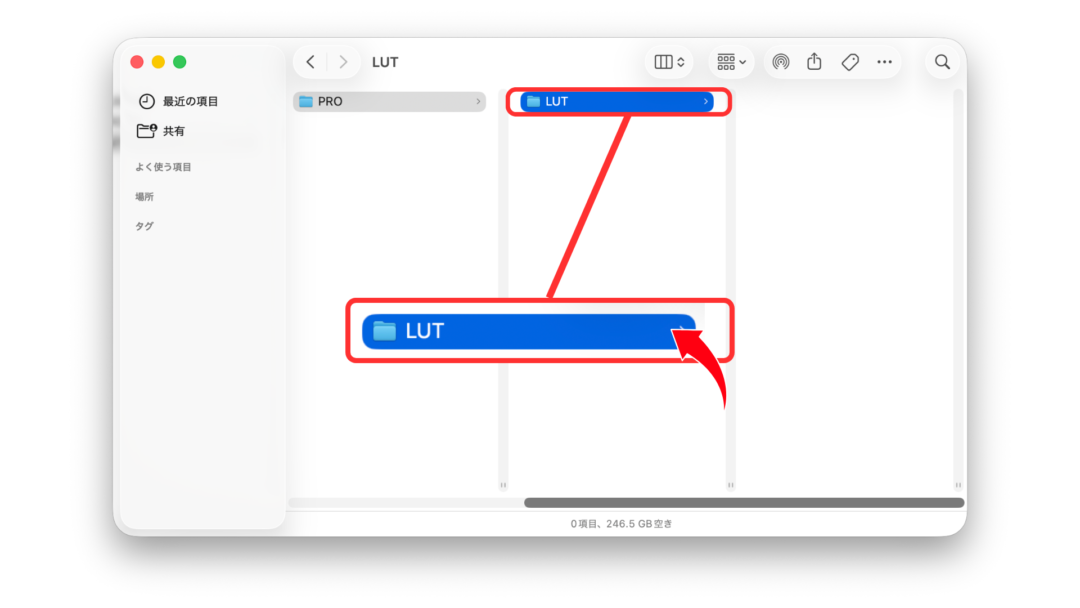
Once the .cube files sit inside the LUT folder like this, you are done on the computer.

STEP 3 | Insert the SD card into the camera
Insert the SD card holding the LUTs into the camera.
Switch the camera’s shooting mode to «Movie» or «S&Q».
STEP 4 | Register the LUT on the camera
From the camera menu, go to MENU → Exposure/Color → Color/Tone → Manage User LUTs → Import/Edit.

Next, pick a slot from User1 to User16

Select the slot holding the SD / CFexpress card you saved the LUT to

Choose the LUT to import

Press OK to finish registering

The LUT you just registered now sits in User1.

STEP 5 | Select the registered LUT
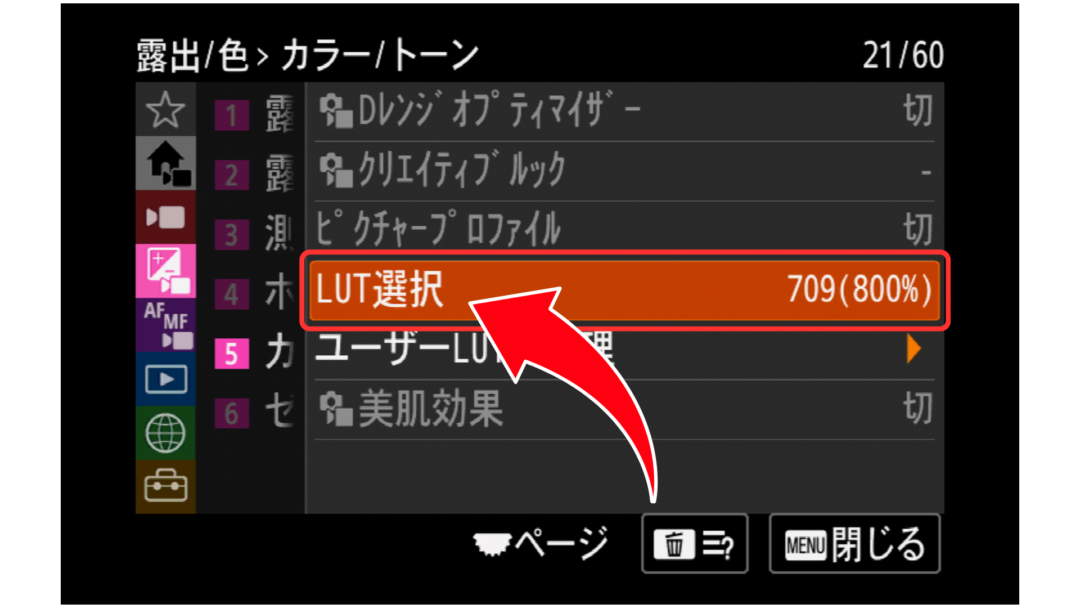
You can pick a registered LUT from MENU → Exposure/Color → Color/Tone → Select LUT.

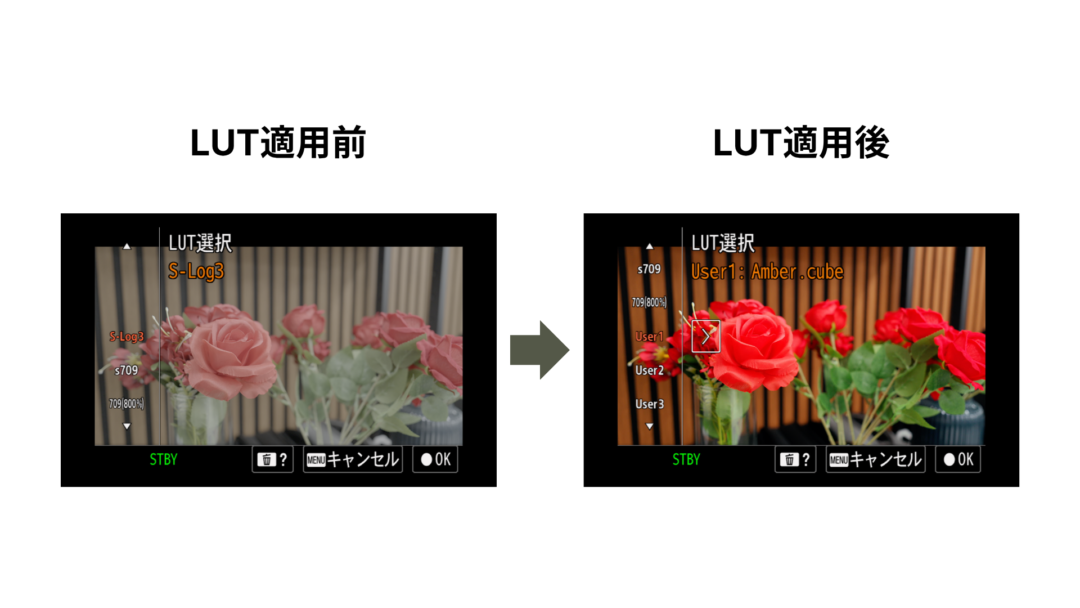
Before and after applying the LUT

You can also shoot while previewing the LUT.
* Your recorded footage is not affected. This is for preview only.

Using Creators’ App
STEP 1 | Download the LUT from Visual Park
Unzip the downloaded file.

STEP 2 | Download Creators’ App

STEP 3 | Register your camera in Creators’ App

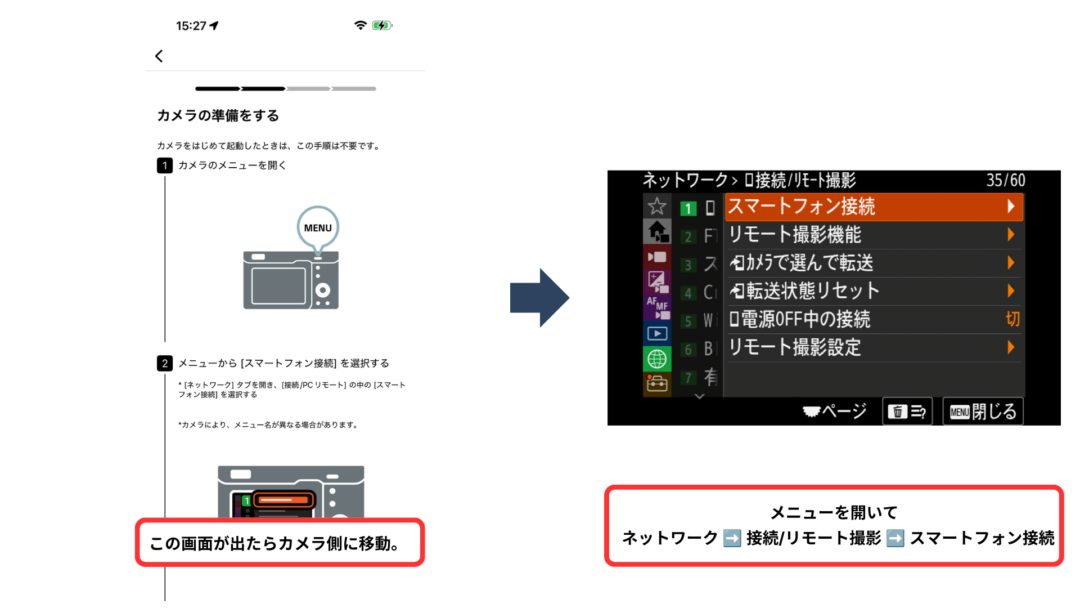
This screen means registration is complete.

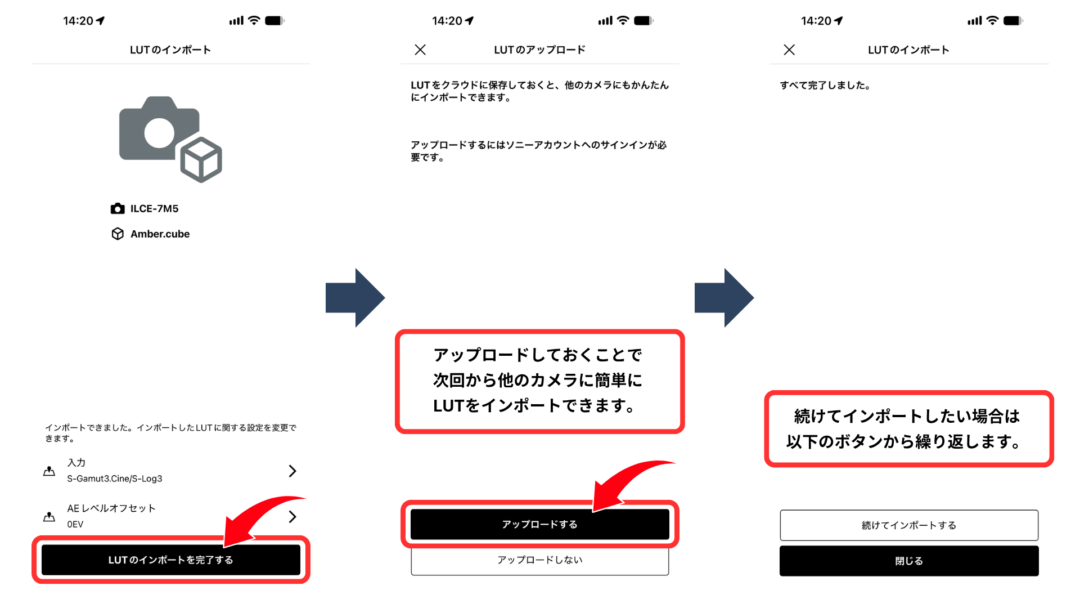
STEP 4 | Import the LUT in Creators’ App


STEP 5 | Select the registered LUT
You can pick a registered LUT from MENU → Exposure/Color → Color/Tone → Select LUT.
Before and after applying the LUT
You can also shoot while previewing the LUT.
* Your recorded footage is not affected. This is for preview only.